

An ITSM system is a set of processes, policies, and tools for managing IT service delivery. The goal of an ITSM system is to deliver the best possible IT services to the end user. Using ITSM process-driven approach, you can align IT services with business needs and track performance.
Here is our list of the best Ivanti Alternatives:




- SolarWinds Service Desk – Best for mid-to-large orgs managing incidents and SLAs.
- HaloITSM – Best for streamlining full incident lifecycle management.
- SysAid – Best for simple ITIL-ready service desk in one tool.
- Freshdesk – Best for cloud helpdesk with smart automation.
Many ITSM tools exist in the market, but figuring out which one is best for your organization can be a challenging task. Hence, we have shortlisted the Top ITSM tools for you that will help eliminate repetitive tasks and improve the IT service lifecycle.
Learn about Ivanti, its features, benefits, drawbacks, pricing plans, and alternatives. Compare and discover the tool that meets your budget and business requirements.
Ivanti Product Highlights
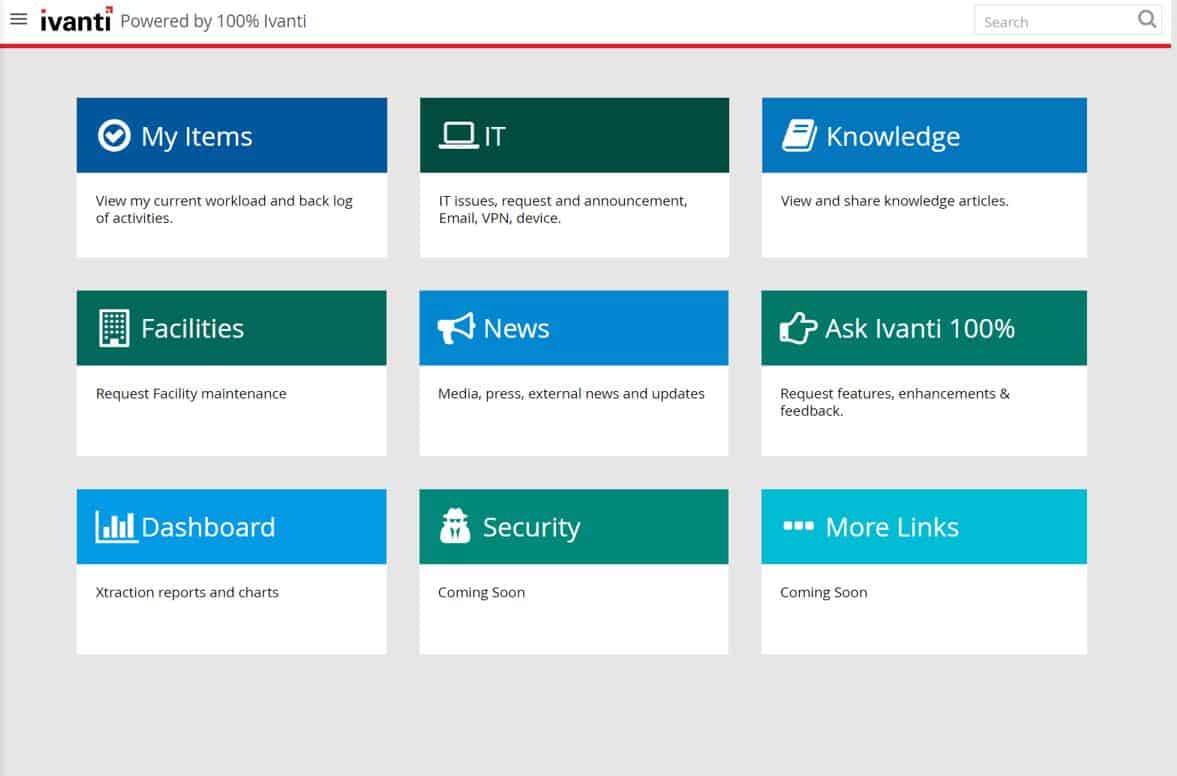
Ivanti is a company that provides IT Services Management solutions to enterprises. Ivanti’s ITSM suite of products is known for its simplicity, scalability, and flexibility. Enterprises can manage their IT services via Ivanti’s web-based console and mobile app. The Ivanti service management suite includes products such as Ivanti Service Desk, Ivanti Asset Management, Ivanti Performance Monitor, and more.
Key Features
- Voice automation
- Self-service portal
- Request Management
- Change Management
- Incident Management
- Knowledge Base
- Automated processes
- Better visibility
- No-code workflows
- Configuration Management
- Easy integration
- Role-based Interface
- 24×7 automated password reset capability
- Continuous Service Improvement
- Service-Level Response
- Problem Management
- Policy and Process Enforcement
- Reporting
- Customized Dashboards
- Service Catalog
- Event Management
- Availability Management
- Project Management
- Issue tracking
- Quick insights
- Drag-n-drop options
Ivanti was founded in 2002 by two Microsoft employees with the idea of helping organizations manage their IT services better. With the help of Microsoft technology experts, they developed a simple yet powerful platform for managing an enterprise’s IT services.
It is an excellent solution trusted by many high-profile companies for reducing calls, implementing new processes, and user support.
Advantages
- Offers out-of-the-box functionalities and covers several areas that play a key role in improved IT service lifecycle
- The process-driven Service Desk solution helps track all issues and responds to customer requests in real-time
- Offers better visibility and control that helps in improving the IT support performance and service delivery
- Helps generate informative reports and gain trend insights that help in making better decisions
- Supports third-party integrations for an improved service-level response.
- Helps employees easily access the historical data of our customers
- The purchasing and compliance metrics are more reliable and efficient compared to other tools.
Pricing
Ivanti is a great ITSM solution and offers custom pricing. The software offers no free trials like other ITSM tools. For exact information on the software pricing, you need to directly get in touch with the sales team. No exact information is available on the portal. Hence, for more updates and details, visit the sales team.
Why We Need Ivanti Alternatives?
Ivanti is a leading ITSM provider that offers enterprise-grade IT service management solutions. Ivanti has been around for more than two decades and in this time, it has grown to be one of the most trusted providers of ITSM solutions.
However, as with any other product or service, Ivanti does have its limitations, such as Documentation covering complicated processes that are not clear, configuring mobile app features requiring attention, and more. Also, since you can’t compare the prices without requesting the sales team, most users save time and just switch to an alternative.
These limitations can be mitigated by using alternatives to Ivanti.
Top ITSM Alternatives
ITSM is a system that is used to monitor and manage the IT services of an organization to achieve the desired business outcomes. It may also be used to provide management of IT personnel, hardware, software, and networks. One can find N number of ITSM alternatives, but we have shortlisted the best ones for your business, have a look.
1. NinjaOne – FREE TRIAL
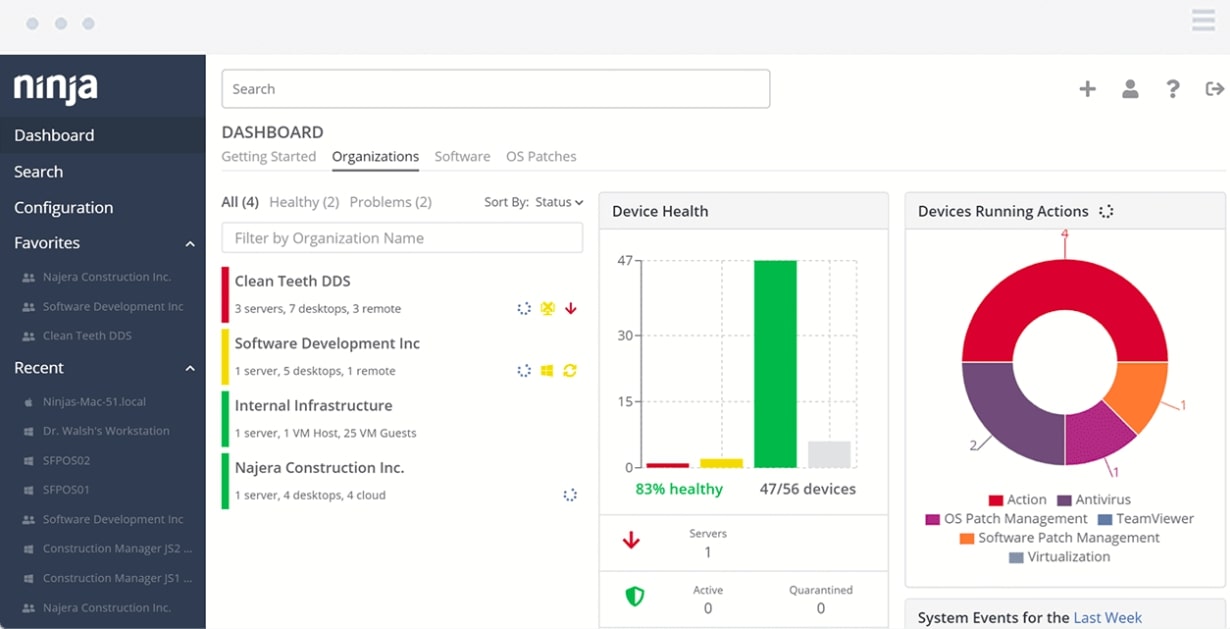
NinjaOne is a cloud-based ITSM tool theat provides real-time IT service management. It is designed to be used by both IT staff and business users.
Key Features:
- Antivirus deployments
- Ticket creation
- Customized alert options
- Automated workflows
- Self-Service IT Portal
- Asset Management
- Network Management
- Patch Management
- Application Management
- IT Operations Management
- Enhanced security
- Reporting
- Supports integration
- Drive encryption status monitoring
- Email server monitoring
- User and Event log monitoring
The NinjaOne platform offers a robust suite of features that allow you to automate routine tasks and provide real-time visibility into your IT environment. The platform also includes advanced features such as incident management, problem escalation, and change management for even more powerful automation.
The best part about NinjaOne is that clients can use the tool from any location with the help of the standard Web browser. You can integrate it with third-party tools and ease the process.
Pros:
- Allows client to keep track of DNS resolution with response times
- Clients can track the health of email servers and all email transfers
- Remotely monitor several network devices
- Full access to control installation or uninstallation process of applications at scale
- Generates in-depth critical insights for performance
- Discovers and fixes issues in real-time with its advanced features and functions
- Updates users about repetitive failed authentication and other suspicious activities instantly
Cons:
- Two-factor authentication is necessary for policy changes and making configuration
The advanced features offer better visibility and control over the infrastructure, assets, inventory, and performance. Using the tool, clients can also track operating system endpoints, virtual machines, networks, servers, and workstations. Start a 14-day free trial.
EDITOR'S CHOICE
NinjaOne is our top pick for an ITSM tool because of its combination of a ticketing system, RMM tools, and a remote access utility. The ticketing service is designed to streamline support processes and enhance customer service. It allows IT teams to manage, prioritize, and resolve issues with ease. Features include automated ticket creation, customizable workflows, and SLA management, ensuring that support requests are handled promptly and according to predefined service levels. The system also supports detailed ticket tracking, enabling technicians to monitor the progress of each issue from creation to resolution, while providing clear communication channels with end-users. The ticketing system is integrated with NinjaOne’s broader ITSM capabilities, such as asset management and remote monitoring, allowing technicians to access critical information directly from the ticket interface. This integration helps in diagnosing and resolving issues more efficiently, reducing downtime and improving user satisfaction. NinjaOne offers a comprehensive solution for managing IT support operations effectively.
Download: Get a 14-day free trial
Official Site: ninjaone.com/
OS: Cloud based
2. Atera – FREE TRIAL

Atera is a leading ITSM solution for IT Service Management and ITIL. Many MSPs and businesses prefer Atera for tracking and accessing clients’ IT systems.
Key Features:
- Remote Access
- Automation
- Ticketing system
- Network Discovery
- Remote Monitoring
- Remote Management
- SLA Management
- Patch Management
- Quick alerts
- Custom scripting
- Billing and Reporting options
Atera’s ITSM software has been designed to help customers manage their IT services, providing them with the tools they need to automate their service management processes and meet the demands of their business.
The Atera platform is built on a robust, open architecture that enables customers to customize it to suit their needs. It includes an extensive library of pre-built integrations with leading third-party systems and applications, including Microsoft SharePoint and Office 365.
Pros:
- Clients can maintain a record of the frequency of incidences
- Alerts and notifies users about faulty hardware and other threats in real-time
- Uses software license management and patch management functions to keep endpoint in the client’s system updated
- Uses custom scripting feature to program time-taking activities
- Allows users to integrate the tool with third-party accounting tools
Cons:
- Unlike other ITSM tools, Atera does not support report customization feature
The all-in-one Remote Monitoring and Management (RMM) tool helps automate, optimize, and simplify IT operations and service lifecycle. The cloud-based solution offers better visibility and helps track unlimited devices with a few clicks. It also updates users about any suspicious activities and constantly scans clients’ endpoints to maintain the order of the system.
Overall, Atera is a great alternative solution for managing IT services and assets. Get started with a 30-day free trial.
3. ManageEngine ServiceDesk Plus – FREE TRIAL
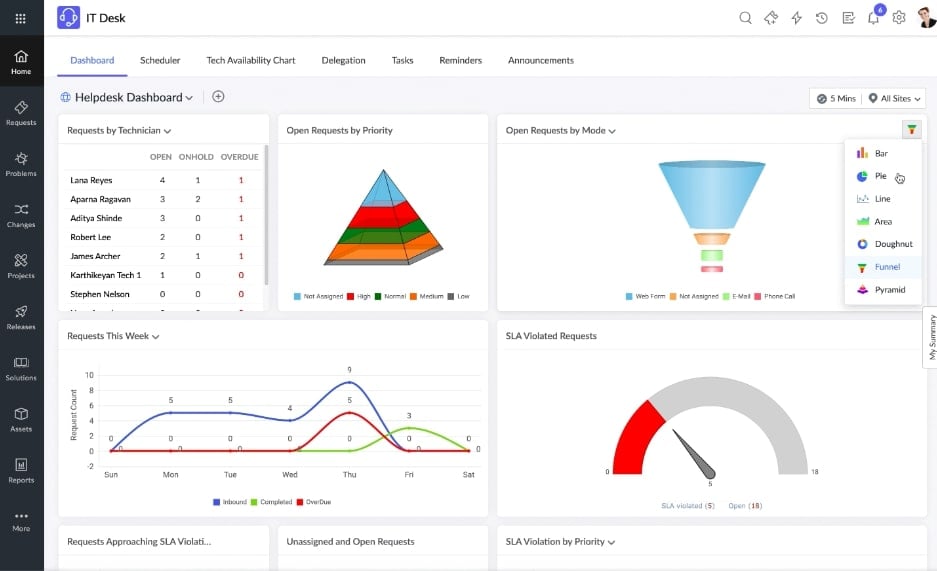
ManageEngine ServiceDesk Plus is a web-based IT service management software that helps organizations to manage their IT operations and projects in a single, centralized platform.
Key Features:
- Project Management
- Change Management
- Service Level Agreements
- SLA Management
- Automation and workflows
- Configuration Management
- Availability Management
- Incident Management
- Ticketing system
- Asset Management
- Asset discovery
- Service Catalog
It helps organizations manage IT services and processes through its customizable workflow engine. It also provides an integrated help desk, knowledge base, chat, remote control, and other essential tools for IT service management. ManageEngine ServiceDesk Plus is available as an on-premises installation or as a SaaS (Software as a Service) solution.
If you want to manage and monitor client contracts and maintenance requests with more visibility, stick to the product. It can be a great solution, for it is not limited to just providing regular help desk features.
The tool enables organizations to deliver faster service to their customers, respond to their requests in real-time, and minimize repetitive incidents.
Pros:
- ManageEngine Service Desk Plus is easy to install and supports multiple languages
- The software is compatible with Linux and Windows Server as well as can be accessed via multiple channels
- Great for boosting the IT help desk’s productivity and simplifying operations
- Clients can use the software for streamlined onboarding
- The self-service portal comes with a password security option for data security
Cons:
- Documentation for ManageEngine ServiceDesk Plus needs improvement for accuracy and clarity
Available in three different pricing plans, businesses can choose the product based on their features and budgets easily. Start with a 30-day free trial.
4. SolarWinds Service Desk
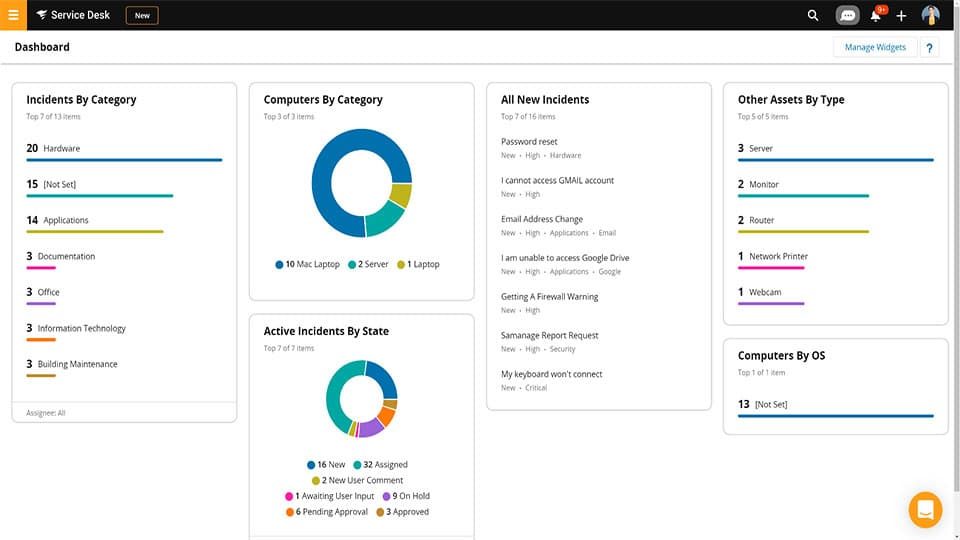
SolarWinds Service Desk is a powerful and feature-rich IT service management software that helps IT organizations to manage their IT services. It provides a centralized view of all service requests, incidents, and changes happening in the network.
Key Features:
- Service Catalog
- SLA Management
- Contract Management
- Incident Management
- Self-service portal
- Knowledge Base facility
- Ticketing system
- Performance Analytics
- Insightful reporting
- Multi-factor authentication
- Change Management
- Asset Management
- Onboarding services
Using SolarWinds Service Desk, users can easily and quickly look after customer requests and issues. The cloud-based ITSM solution also supports automated workflows and a ticketing system.
Pros:
- Allows users to discover illegal software in real time via a risk detection module supported by the tool
- Clients can perform constant scanning of endpoints and update instantly about threats
- Helps in monitoring system utilization and generating in-depth reports
- Allows users to track ongoing activities and performance for better strategies and decision
- The self-service portal helps resolve end-user queries
- The easy-to-integrate software supports onboarding services and can be accessed by departments beyond the IT
Cons:
- SolarWinds Service Desk offers complex report customization options
- Clients are required to manually update time details for completing service requests
Be it a medium-sized business or a large corporation, SolarWinds Service Desk is ideal for each business type, specially designed to ease employee support services and simplify operations.
It also helps in the identification and management of assets, as well as tracking changes in the management. Additionally, the service desk solution supports integration with 200+ applications. AT&T and NASA are a few companies that trust SolarWinds Service Desk over other ITSM tools.
5. HaloITSM
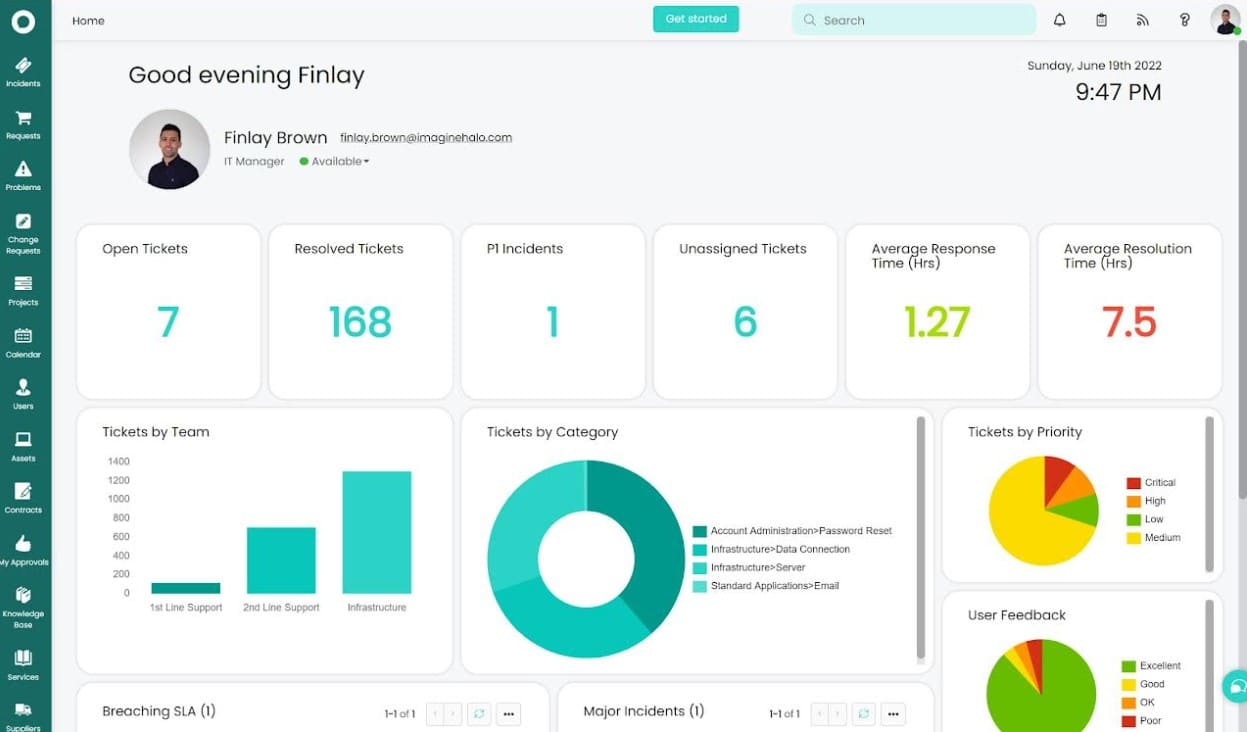
HaloITSM is a cloud-based IT service management software company that provides a full range of IT services to organizations from small and medium-sized enterprises to large enterprises.
Key Features:
- Configuration Management
- Contract Management
- Inventory Management
- Asset Management
- Auto asset discovery
- Track and visibility
- Collaboration
- Service Catalog
- Task Management
- Artificial Intelligence
- Incident Management
- Change Management
- Release Management
- SLA Management
- Problem Management
- Knowledge base
HaloITSM is an ITSM tool that can be used for the management of your IT service desk, change management, asset and configuration management, helpdesk, project portfolio, and incident and problem management.
It also provides a complete set of automation tools for IT professionals who want to automate their processes and workflows.
Pros:
- The customizable, quick, and responsive ITSM solution
- It has a self-service portal that allows users to find a solution on their own
- Helps track staffing requirements and other ongoing processes
- Automatically identifies and maintains assets
Cons:
- SQL expertise is necessary for building custom reports
- The live chat feature is available as an add-on
- The customization option supported by the tool is complex
It has a self-service portal that enables users to discover a solution for their queries faster without any errors. The cloud-based solution is easy to use and install. Clients no longer need to panic about installation or configuration, for HaloITSM manages everything on its own.
Further, you can track staffing requirements for projects, integrate them with other third-party tools, and meet business requirements faster with HaloITSM.
6. SysAid ITSM
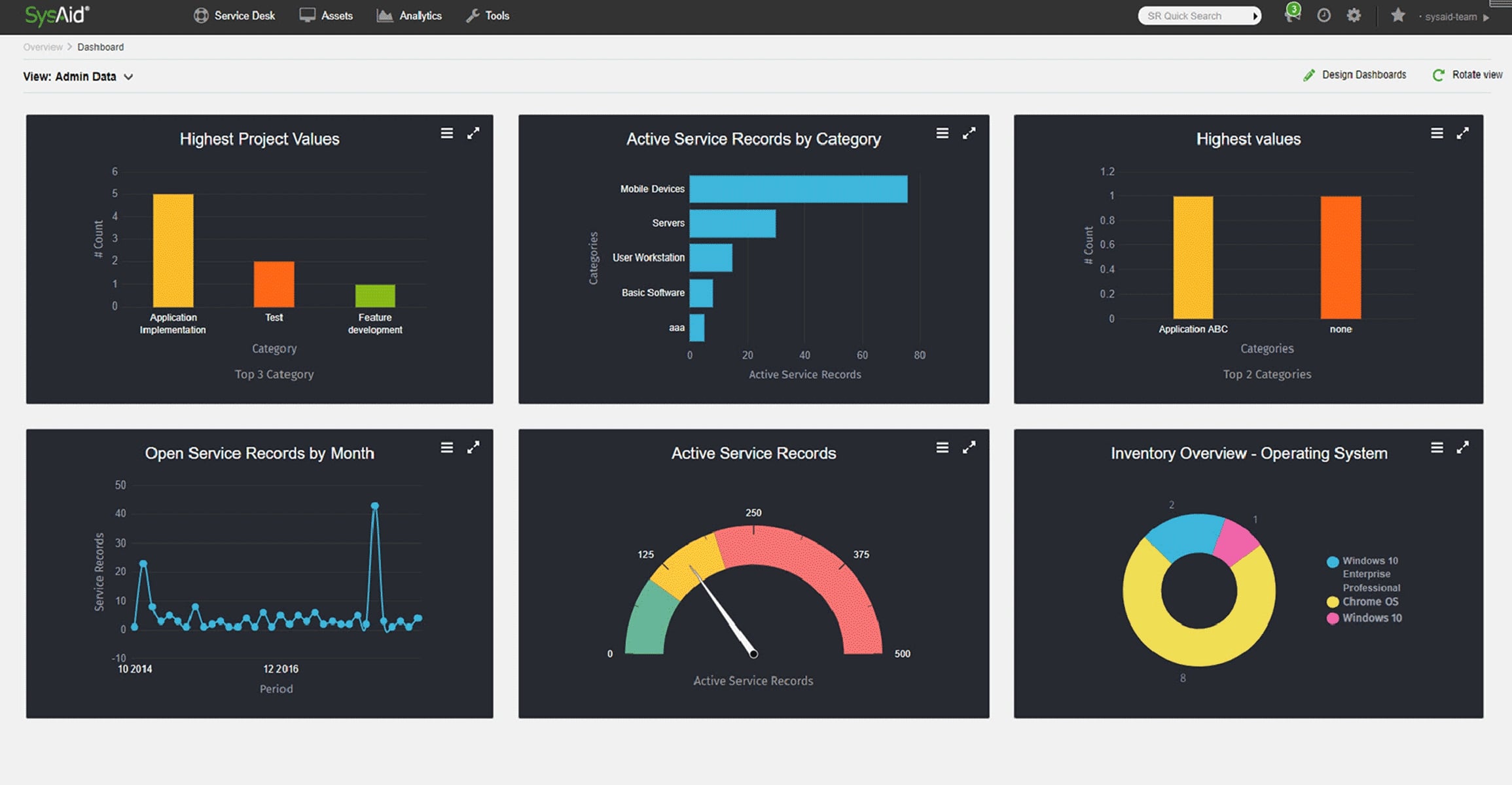
SysAid ITSM is an IT service management software that provides a complete set of features for IT service providers.
Key Features:
- Advanced Automation
- Asset management
- Quick implementation
- Self-service portal
- Request management
- Change management
- Problem management
- Third-party integrations
- Advanced customization
- Service level management
- Configuration management
- Automated monitoring
- Email Capture
- Better visibility and quality reports
- Alert options
It includes features for ITIL process management, incident and problem management, change and configuration management, release and deployment management, capacity planning, access control, asset inventory, tracking, etc.
Pros:
- Reduces repetitive tasks and boosts productivity
- The self-service portal enables users to resolve their issues and requests faster.
- Automated workflows make everything easy and quick for departments to configure and share
- Increases efficiency and quality of service delivery
- SysAid’s IT service management software is easy to use, and learn, and delivers a range of services
Cons:
- Supported templates must be more user-friendly for customization
- The dashboard lacks a few options when creating new graphics
It also has a unique feature called “Systems Director” which can be used to manage the complete lifecycle of the hardware from purchase to retirement.
7. Freshdesk
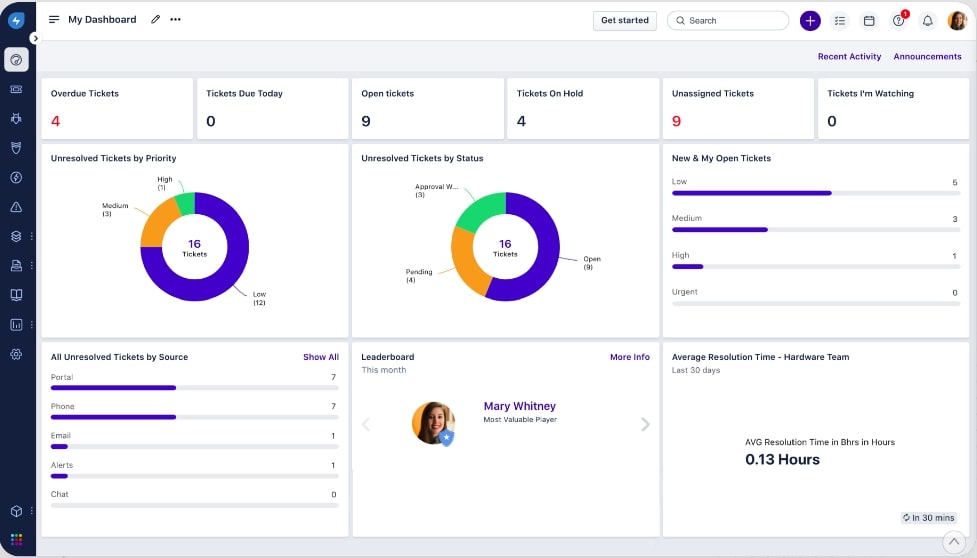
Freshdesk is an IT service management software. It allows IT teams to manage their customer support tickets and requests in one place.
Key Features:
- Offers faster deployments
- Supports multiple languages
- Advanced reporting and context-driven analysis
- Incident Management
- Contract Management
- Problem Management
- SLA Management
- Service Request Management
- Full-time support access
- SDKs and API configurations
- Powerful automation and no-code workflows
- Integrated Service Channels
- AI-driven Service Management
- IP Whitelisting
- Asset Discovery
- Change management
Freshdesk is an IT service management software that provides a central place for businesses to manage their customer support tickets and requests. It can be used by both small and large organizations, with the platform’s features scaling up or down depending on the size of the company. Freshdesk offers a variety of features, like email integration, knowledge base solutions, collaboration tools, ticket prioritization, and reporting capabilities.
Pros:
- For modernizing employee engagement, clients can use the supported AI-driven service management and integrated support channels feature
- The self-service portal reduces inbound tickets and helps resolve customer queries faster
- It has a better user interface and an easy-to-implement ITSM solution
Cons:
- SLA set-up must be available for different levels
- Reports for merged tickets must be shared separately
- The messaging system has issues. At times, it does not load properly.
The cloud-based system management tool also offers a self-service portal for resolving customer queries faster. It also allows clients to use filters and create pre-defined reports for incidents for better decision-making.
Conclusion
Many ITSM tools exist in the market like Ivanti that are used to help organizations manage their IT services better. Ivanti also helps track all issues and responds to customer requests in real-time. Further, it offers out-of-the-box functionalities and covers some major areas that play a key role in improving the IT service lifecycle.
But it does have its limitations, which is why many organizations look for its alternatives. To make your search process easy and quick, we have listed the top alternatives that can help meet your business requirements.
SolarWinds Service Desk, Atera, ManageEngine ServiceDesk Plus, HaloITSM, NinjaOne, SysAid ITSM, and Freshdesk are some powerful and feature-rich IT service management software used to simplify IT operations and eliminate repetitive tasks. Compare each ITSM solution based on its features and drawbacks to conclude which one suits best for your business.
