NetAdminTools.com
 
SignalQ Sites:
NetAdminTools - Coprolite - NoNIC - SpotBridge - NAW
RoboCoop - AreWeDown - SolarPower - SysAdminTools
Xfig - Gold Loaf - GeekPapa - FixGMC - MCJ - FixRambler
Categories:
GNU/Linux | Homebrew designs | Perl | Administration | Backup/Recovery | Bugs/Fixes | Certification | Database | Email | File/Print | Hardware | Information Grab Bag | Interoperability | GNU/Linux ABCs | Monitoring | Name Resolution | Network Services | Networking | Remote Control | Security | Desktop | Web | BSD | Solaris | GIAGD | REALbasic

Last 30 Days | Last 60 Days | Last 90 Days | All Articles | RSS | Hail Support


Categories:
·GNU/Linux
·Homebrew designs
·Perl
·Administration
·Backup/Recovery
·Bugs/Fixes
·Certification
·Database
·Email
·File/Print
·Hardware
·Information Grab Bag
·Interoperability
·GNU/Linux ABCs
·Monitoring
·Name Resolution
·Network Services
·Networking
·Remote Control
·Security
·Desktop
·Web
·BSD
·Solaris
·GIAGD
·REALbasic
·All Categories


Creating a SAN with iSCSI - Part 5 - Setting up a Windows Initiator - Creating the Drive
Topic: File/Print   Posted:2004-10-18
Printer Friendly: Print

spacer
You will see the name of the target in the box:
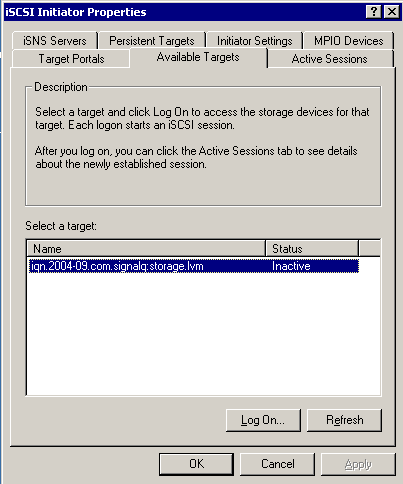


Click Log On to connect to the drive and make it active. You will see a dialog:
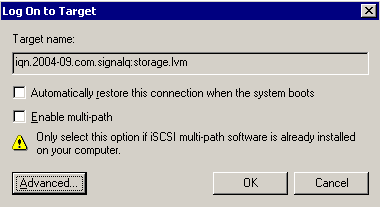


For now, just leave automatic restore option unchecked. Click OK. Now the available target box has the target listed as connected:
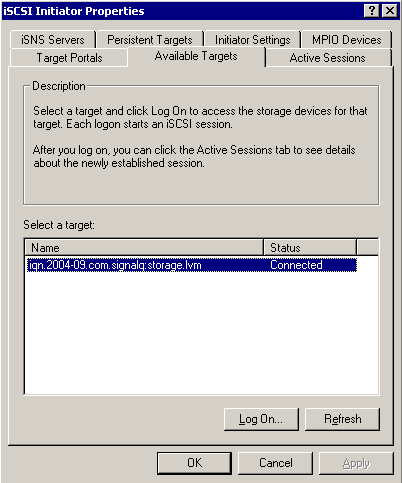


Click OK and go into the Computer Mangement administration tool. We can see our 3 gig drive:
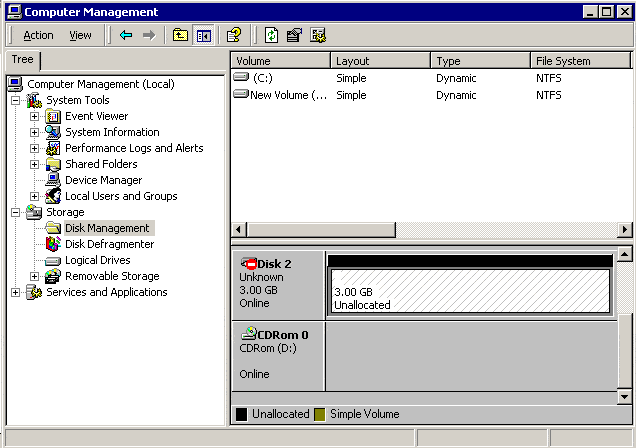


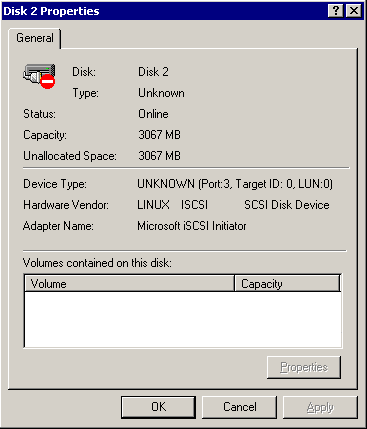
Let's look at the properties:


Close the properties, right click on the left hand box marked Disk 2 Unknown, and write a signature to the drive so it is detected correctly.

Next

There are 6 parts to this article:
Part 1 - Setting up the Target on GNU/Linux
Part 2 - Setting up a Windows Initiator - Initial Install
Part 3 - Setting up a Windows Initiator - Finish Install
Part 4 - Setting up a Windows Initiator - iSCSI Setup
Part 5 - Setting up a Windows Initiator - Creating the Drive
Part 6 - Setting up a Windows Initiator - Finishing Up


Please read our Terms of Use
Microsoft, Windows, Windows XP, Windows 2003, Windows 2000, and NT are either trademarks or registered trademarks of Microsoft Corporation. NetAdminTools.com is not affiliated with Microsoft Corporation. Linux is a registered trademark of Linus Torvalds, and refers to the Linux kernel. The operating system of most distributions that contain the Linux kernel is GNU/Linux. All logos and trademarks in this site are property of their respective owner. Copyright 1997-2008 NetAdminTools.com

Created by:
MCJ
MCJ CMS