
Tomcat is part of the Apache Project. Tomcat, which is free and open-source, can serve up JavaServer Pages (JSP). For more info on this, see J2EE JavaServer Pages Technology. The JavaServer Pages FAQ is here. We were a bit lazy, and grabbed a binary from here. Make sure you have Java installed. We installed Java in this article. Let’s extract the binary:
[root@srv-1 opt]# ls j2sdk j2sdk1.4.2_03 jakarta-tomcat-5.0.18.tar.gz lost+found [root@srv-1 opt]# tar -xzf jak*.gz |
Make a symbolic link to tomcat:
[root@srv-1 opt]# ln -s jakarta-tomcat-5.0.18 tomcat |
Let’s set up some environment variables and a path. In /etc/profile:
CATALINA_HOME="/opt/tomcat" export PATH CATALINA_HOME JAVA_HOME USER LOGNAME MAIL HOSTNAME HISTSIZE INPUTRC |
Load the new profile:
[root@srv-1 opt]# source /etc/profile |
Let’s start up Tomcat:
[root@srv-1 opt]# cd tomcat [root@srv-1 tomcat]# ls bin conf logs RUNNING.txt shared webapps common LICENSE RELEASE-NOTES server temp work [root@srv-1 tomcat]# cd webapps [root@srv-1 webapps]# ../bin/startup.sh Using CATALINA_BASE: /opt/tomcat Using CATALINA_HOME: /opt/tomcat Using CATALINA_TMPDIR: /opt/tomcat/temp Using JAVA_HOME: /opt/j2sdk [root@srv-1 webapps]# |
We can verify this at http://srv-1:8080/:
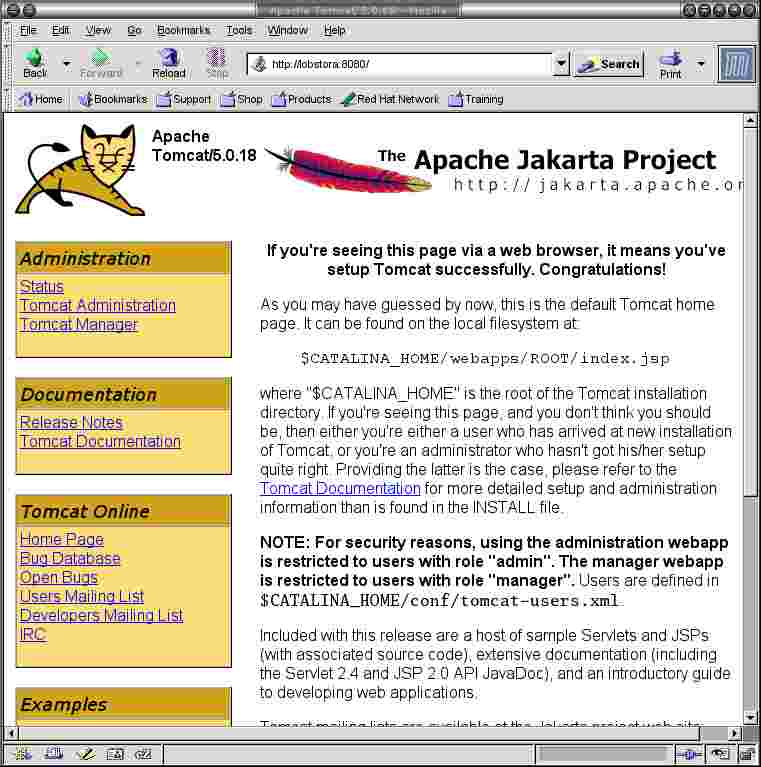
We have Tomcat running!


