


As any Network Technician, Admin or Engineer knows, you’re only as good as your supporting Cast members!
Here is our list of the best IT Help Desk Software:





- ServiceDesk Plus – Best for customizable help desks with multi-site and rule-based automation.
- FreshDesk – Best for businesses needing flexible licensing and strong knowledge base.
- JIRA – Best for teams wanting highly customizable issue and ticket workflows.
- SolarWinds Web Help Desk – Best for Windows environments needing asset tracking and remote support.
- osTicket – Best for free/self-hosted open-source ticketing with solid customization.
- OTRS Free – Best for open-source multi-language ticketing with strong community support.
- Track-It! Help Desk – Best for help desks needing self-service plus asset and license management.
- Spiceworks – Best for small teams wanting a free, ad-supported help desk.
Today we’re going to jump into exploring the Best IT Help Desk software to alleviate any pain points for your IT Support staff and really streamline troubleshooting and tasks!
Keeping a help desk environment running smoothly can be a bit of a challenging task – issues come and go quite quickly, and often times things take a lot longer than expected, or conversely almost no time at all!
For smaller help desks with just a few agents, this isn’t normally a big problem, but even with just several people it’s far too easy for things to become a mess – agents working on the same issue due to someone contacting the help desk about it several times, agents redoing work already done because it’s not centralized, or worst of all entirely dropping the ball on major issues because it was handed off and forgot, or just never made it to the right person!
Software is the obvious solution for organizing a help desk – ticket management, assignment, updates, tracking, and similar features make easy the overwhelming task of micromanaging user issues to be sure nothing falls through the cracks.
It’d be near impossible for any help desk with hundreds of users to run without some kind of organization software, but even the smaller environments can really benefit, and that’s where some of the great free and open-source options come into play!
Many of them offer much of the basic functionality one would need for creating, assigning, updating, and viewing tickets, while also offering some more complex features such as reminders or alerting to help keep folks on top of things.
Methodology for selecting the Best Help Desk Software & Tools
- Check if it offers customer support through various channels.
- Does it offer a knowledge base for assistance?
- Does it offer a performance tracking system?
The Best IT Help Desk Software
At the end of the day, you want to be sure that your IT Department isn’t wasting their valuable time and resources by having several people work the same issue, or have issues left orphaned due to the one person that was working on them traveling or being out sick. Ticket and issue management is critical, and these programs can help!
1. NinjaOne Helpdesk – FREE TRIAL
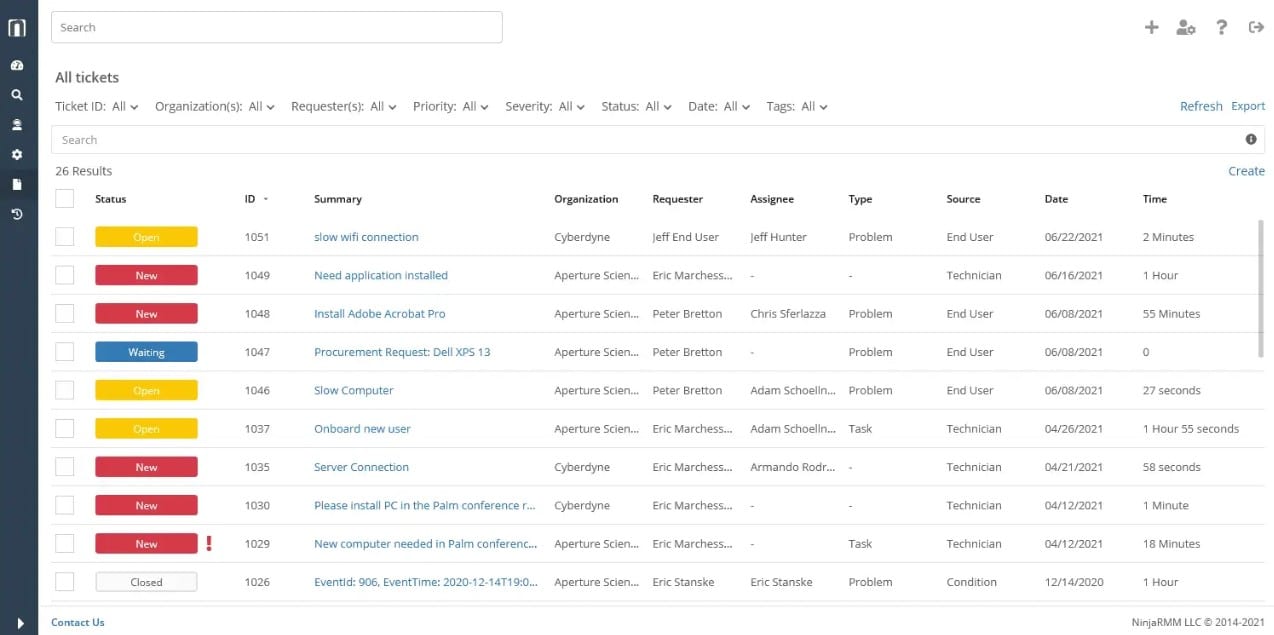
NinjaOne Helpdesk is a cloud-based system that provides a ticketing service for IT department technicians or for use by managed service providers. The entry point for users into the Helpdesk system is a self-service portal, which can also be set up with a knowledge base to enable users to solve their own problems and cut down the number of service requests.
Why do we recommend it?
NinjaOne Helpdesk emphasizes self-service with its integrated knowledge base, which empowers users to address their issues independently, reducing the overall ticket volume. Additionally, the system’s robust automation capabilities, from unique ticket ID generation to rule-based routing and SLA-driven deadline calculations, streamline the ticket management process, ensuring timely and efficient responses.
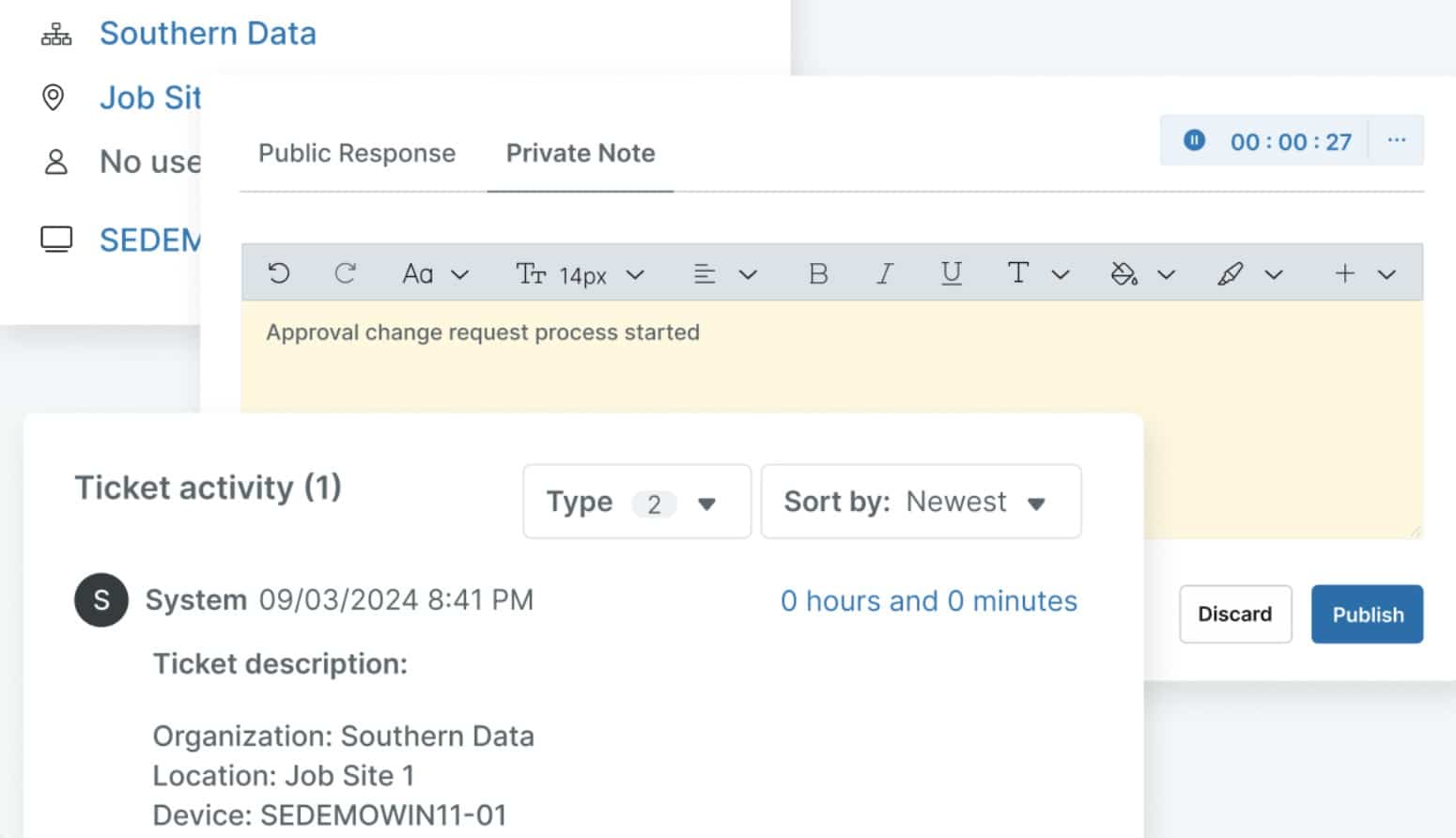
The tickets are all given unique IDs and they can be routed automatically according to rules that your support manager sets up. The tickets appear in a technician console, where they can be queued, activated, paused, closed, or forwarded.
The team manager dashboard shows progress on each ticket and deadlines, which can be calculated automatically according to the demands of service level agreements (SLAs). The manager can escalate or re-assign tickets manually.
Who is it recommended for?
NinjaOne Helpdesk is ideal for IT departments and managed service providers looking for a cloud-based solution that prioritizes self-service options and seeks enhanced ticketing automation, rule-based workflows, and detailed insights through a team manager dashboard.
Pros:
- Part of a remote monitoring and management suite
- A SaaS package that is delivered from the cloud
- Automated ticket routing for technician task allocation
- Service Level Agreement goal tracking
- Additional features, such as an automated patch manager
Cons:
- No price list
NinjaOne doesn’t publish a price list and so you should start with your assessment of the package by accessing a 14-day free trial.
EDITOR'S CHOICE
NinjaOne is our first pick for the best help desk software. Known for its automated request management, this platform decreases resolution time and improves your technicians’ efficiency in tackling even the most complex and critical issues. One of the big contributors to this increased efficiency is its automated workflows. These are highly customizable and cover all endpoints through a single interface. It also offers collaboration features, so more than one technician can get together to solve critical issues. Its focus on documentation, IT asset management, and self-service client portal provides the control and visibility required for handling help desk tickets.
Download: 14-day FREE Trial
Official Site: ttps://www.ninjaone.com/freetrialform/
OS: Cloud-based
2. Atera – FREE TRIAL
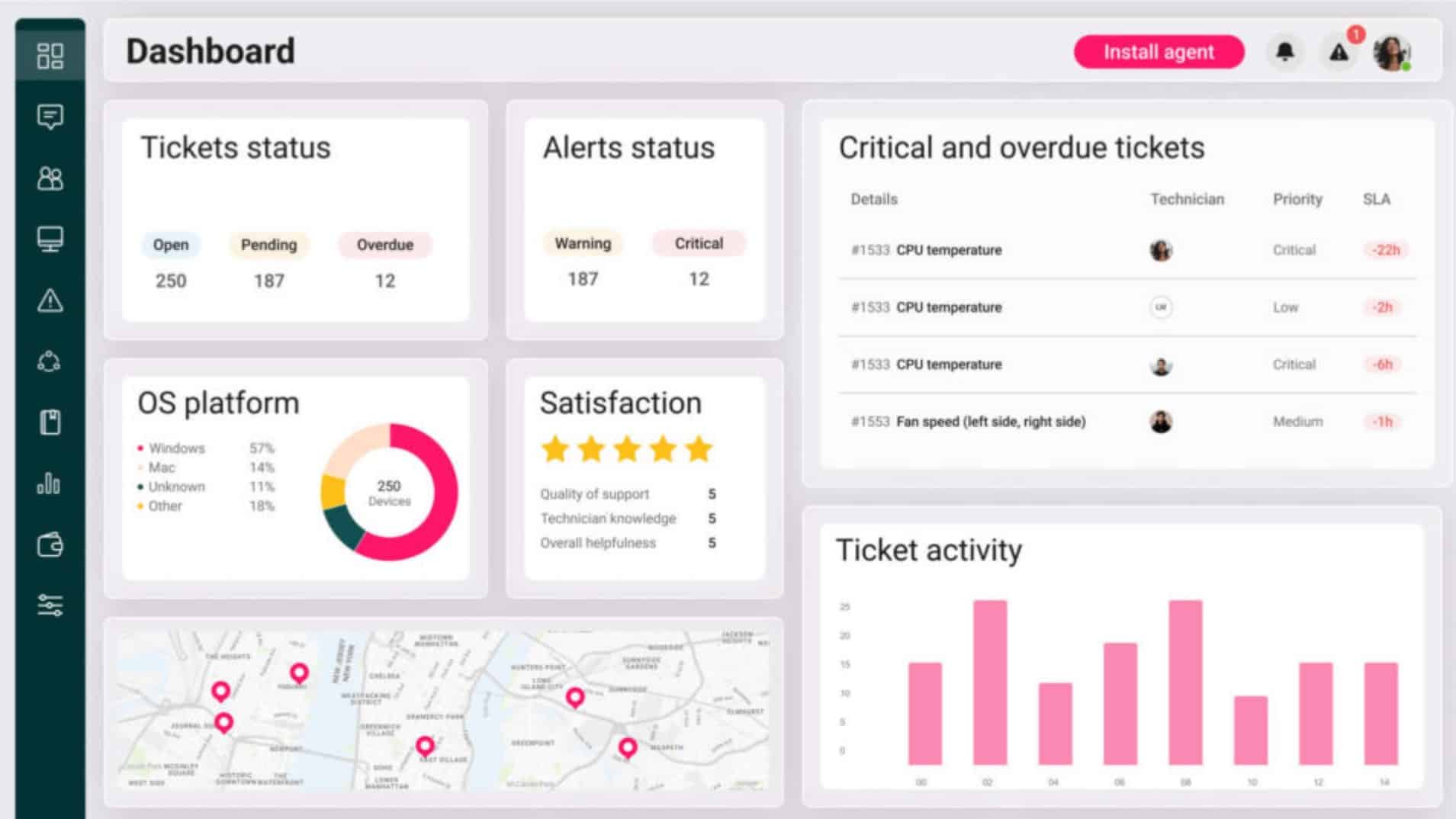
Atera is an enterprise-grade ticketing and IT help desk tool that handles all aspects of help desk management, from creation to resolution.
Why do we recommend it?
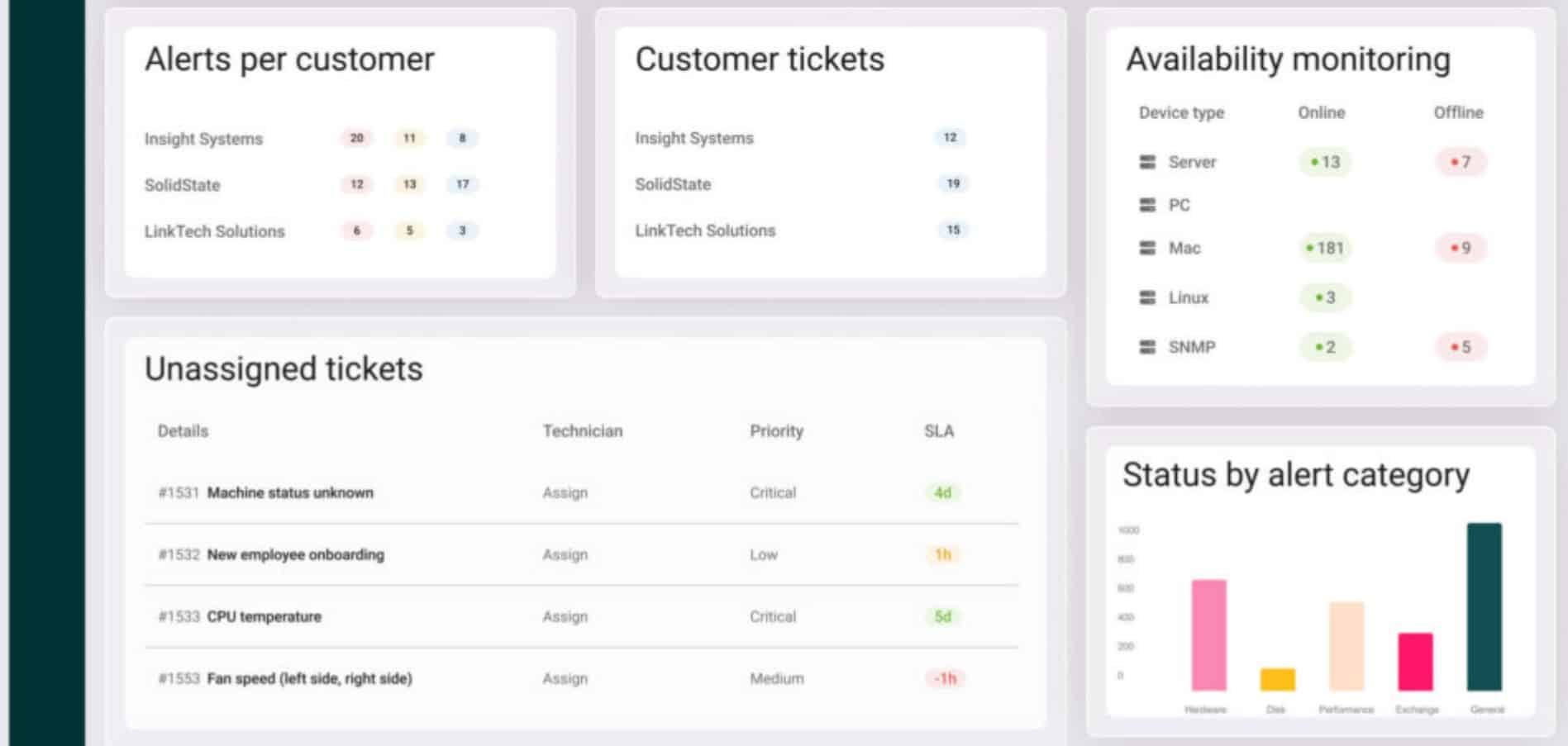
One of the primary advantages of this tool is that the service desk connects directly with Atera’s remote monitoring and management, automation, remote access, asset management, patch management, and PSA capabilities. This integration enables technicians to move from identifying a problem to investigating and resolving it without switching between several platforms. Moreover, Atera’s AI capabilities gather data from the environment to add context to every ticket.
Another advantage is that tickets can be created through multiple channels, including email, the service portal, Microsoft Teams, Slack, and system alerts. It also supports custom ticket forms and fields, so IT teams can collect the information they need at the start of the support process. Additionally, the automated routing feature can assign tickets based on technician skills, workload, and availability. This helps balance queues and reduce manual assignment work without impacting resolution times.
Atera also has strong automation and AI-assisted support. Its automation rules handle routine ticket actions, notifications, follow-ups, and workflows to ensure that every stakeholder has visibility into the ticket status and progress, and at the same time, technicians have the required information to quickly resolve any issue. In particular, its AI Copilot can help technicians generate ticket summaries, automate replies, provide diagnostics, and offer recommendations during troubleshooting.
The wider Atera platform also includes Robin, an autonomous IT agent designed to resolve some routine user issues before they become technician tickets.
Who is it recommended for?
Atera is best suited to organizations that want a help desk as part of a broader IT management platform. Its tight connection with monitoring, endpoint management, automation, and remote support makes it a good choice for IT teams and MSPs that want to reduce the number of tools they use. Its AI and automation capabilities will also come in handy for teams grappling with heavy workloads.
Pros:
- Accepts tickets from multiple channels.
- Automatically routes tickets based on technicians’ skills and availability.
- Supports SLA tracking.
- Highly scalable.
Cons:
- Requires initial setup.
Atera comes in four pricing plans:
- Professional – $149
- Expert – $189
- Master – $219
- Enterprise – Custom
Note that all prices are per technician per month. Start by registering for a demo and a 30-day free trial.
3. SuperOps PSA – FREE TRIAL
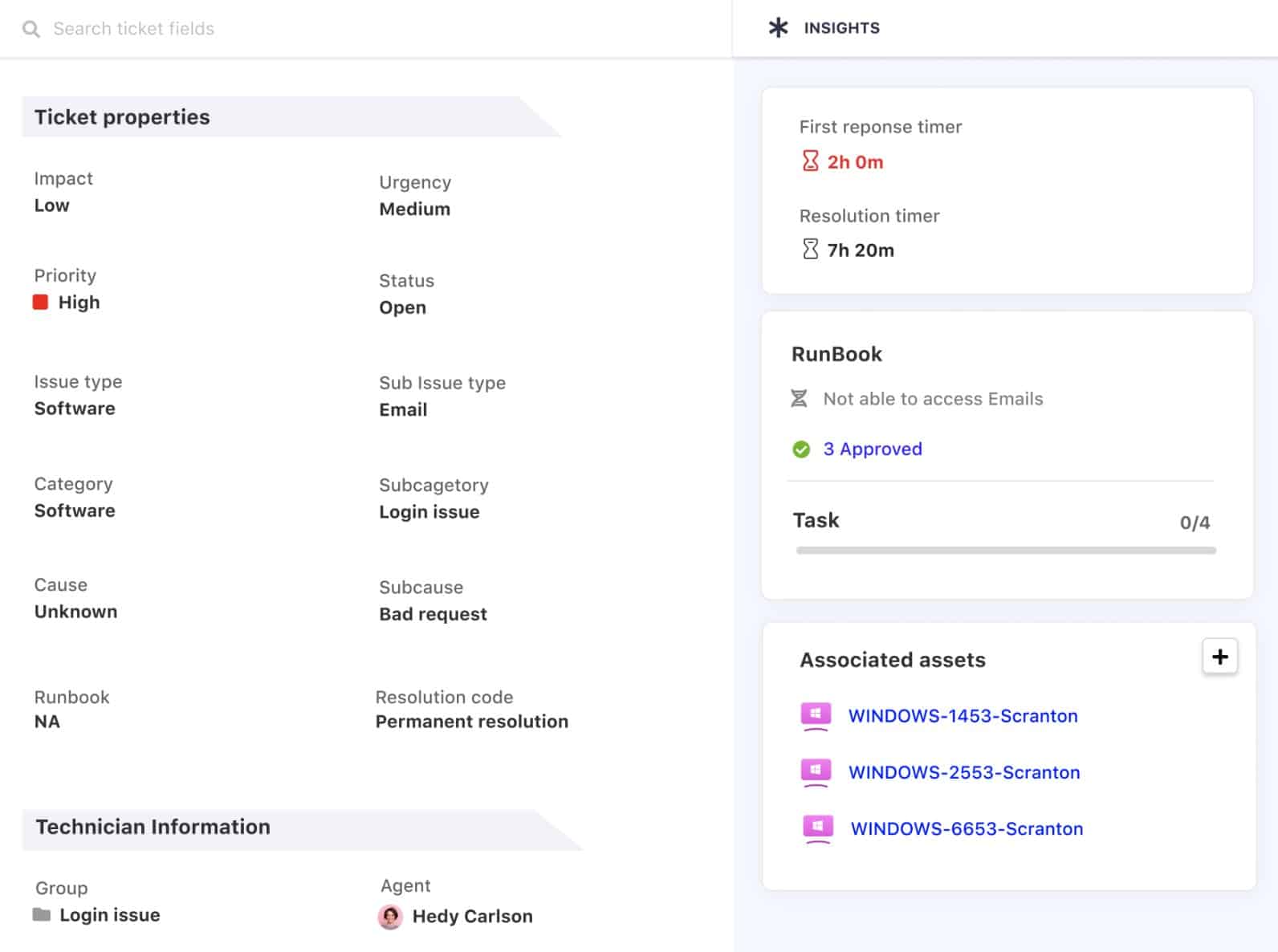
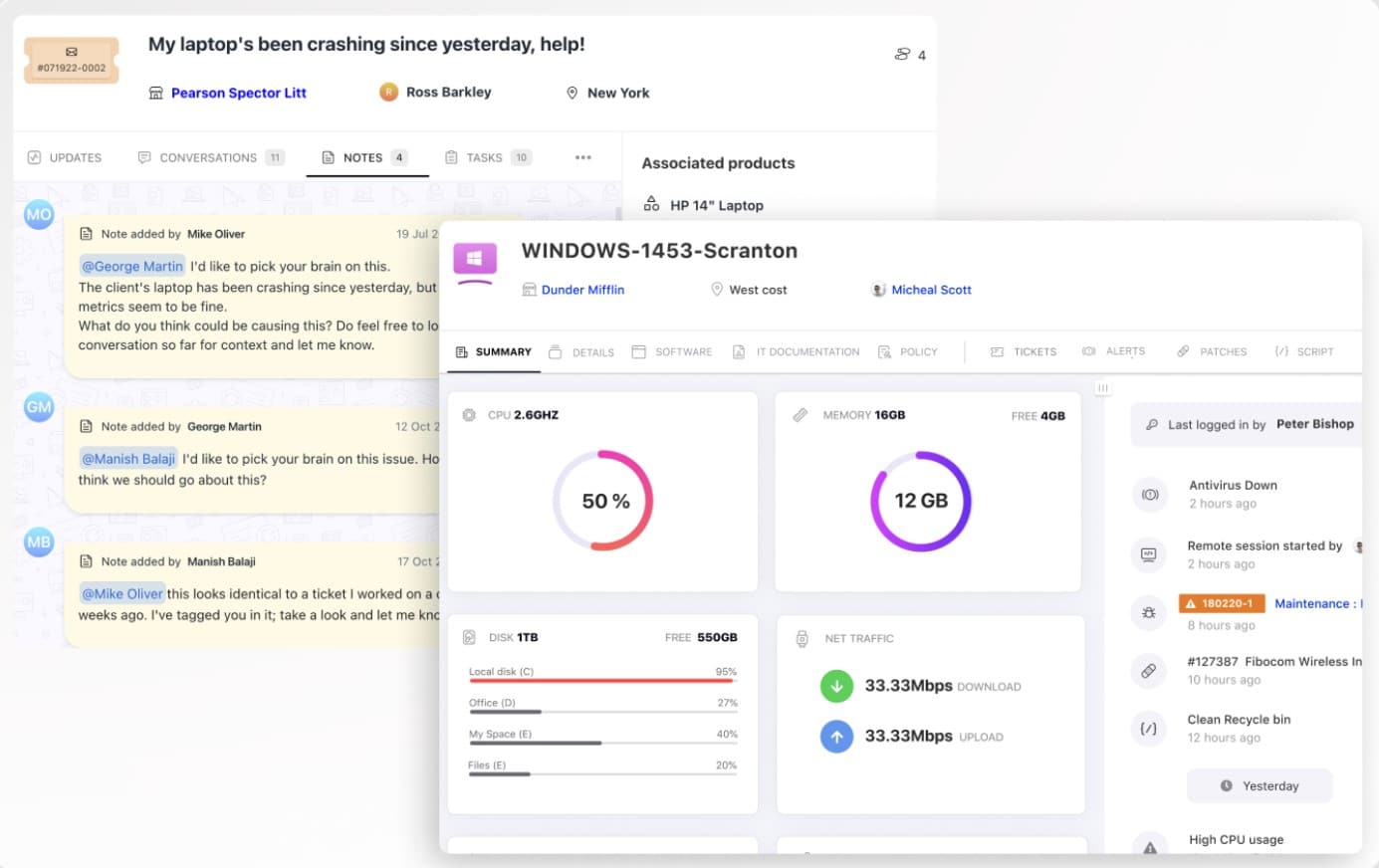
SuperOps PSA is a SaaS platform that provides professional services automation (PSA) tools for managed service providers. The central element of this package is a ticketing system.
Why do we recommend it?
SuperOps PSA offers a comprehensive cloud-based solution tailored for managed service providers, integrating professional services automation tools with a robust ticketing system. Its capability to seamlessly track technician tasks, generate time-sheets, and produce invoices makes it a unified and efficient platform for service management.
All of the SuperOps package is resident on the cloud and accessed through any standard Web browser. Users access the ticketing portal through a browser as well.
Who is it recommended for?
SuperOps PSA is ideally suited for managed service providers and IT professionals seeking a centralized and cloud-based PSA system. It’s particularly beneficial for those who prioritize efficient ticket routing, time-tracking, and automated invoicing.
Pros:
- A SaaS package
- A console that can be accessed from anywhere through any standard Web browser
- Contract and client management plus automated timesheets and billing
- Technician productivity tracking with SLA tie in
Cons:
- Intended for managed service providers and not suitable for IT departments
The back-end of that system routes tickets to individual technicians and keeps track on progress. The system records time spent on each task, generates time-sheets, and draws up invoices. You can assess the SuperOps platform with a 14-day free trial.
4. ManageEngine ServiceDesk Plus – FREE TRIAL
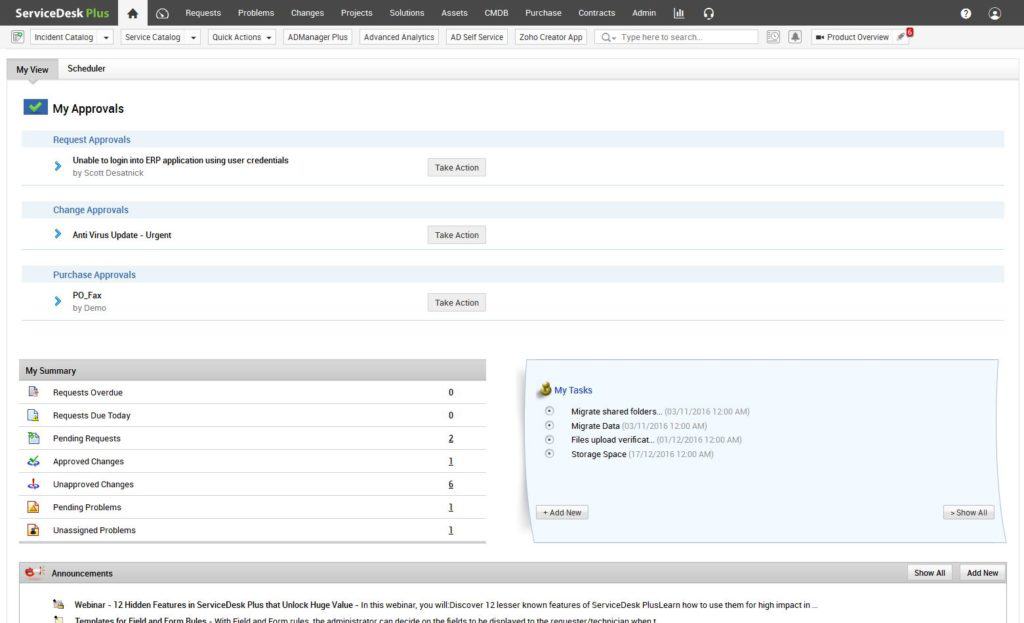
Another option that includes both on-site or in-cloud options, ServiceDesk Plus has a strong flexibility and even provides a ‘Standard’ edition that is “free forever!”
Why do we recommend it?
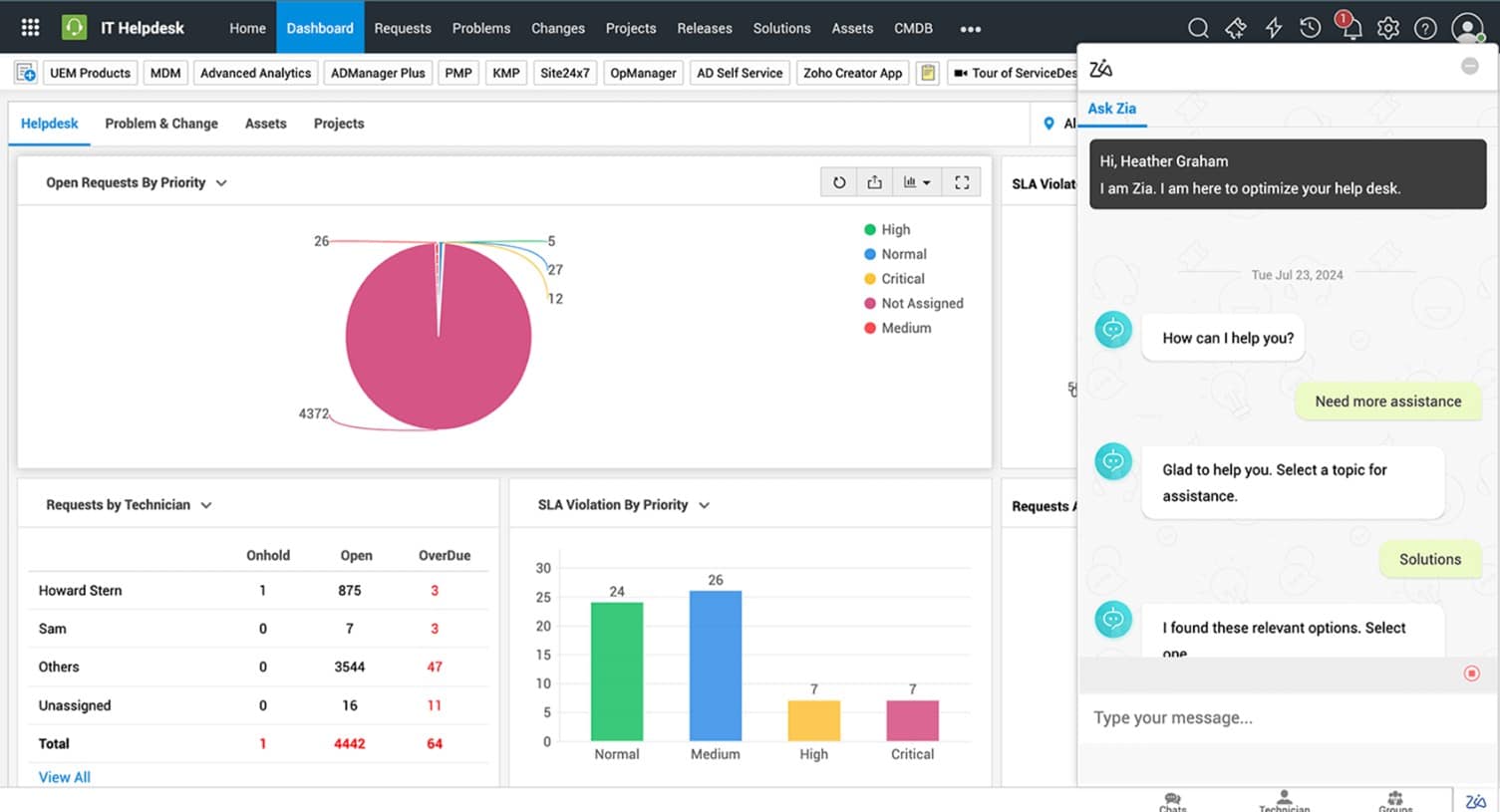
ServiceDesk Plus by ManageEngine stands out due to its superior flexibility, offering both on-site and cloud options, complemented by a robust set of fully-customizable metrics for ticket sorting and automation. Its unique features, such as email-based command issuance and multi-site support, make it a versatile solution that enhances automation and streamlines help desk operations.
It has a particularly strong set of fully-customizable metrics by which tickets can be automatically sorted and assigned, allowing for a whole new broad level of automation via rules.
It also provides the standard run of user surveys, mobile compatibility, reporting, and so forth, with a few unique twists – you can even use email to issue commands to the help desk while out and about and have access to any email service!
Furthermore, ServiceDesk Plus includes multi-site support for front-end customization, data archiving, and still more – it’s well worth a shot in most any environment.
Who is it recommended for?
ServiceDesk Plus is recommended for organizations and IT departments seeking a highly customizable and scalable help desk solution, especially those that require advanced automation via rules, multi-site support, and the convenience of controlling operations remotely through email commands.
Pros:
- Full control and visibility into IT issues
- Supports integration with IT management applications
- Handle IT tickets throughout the entire lifecycle
- Monitors all configurations as well as maps their dependencies
- Automatically sorts and assigns tickets using the fully-customizable metrics
Cons:
- May take time to explore and use all the services/products
ManageEngine offers a 30-day free trial.
5. FreshDesk
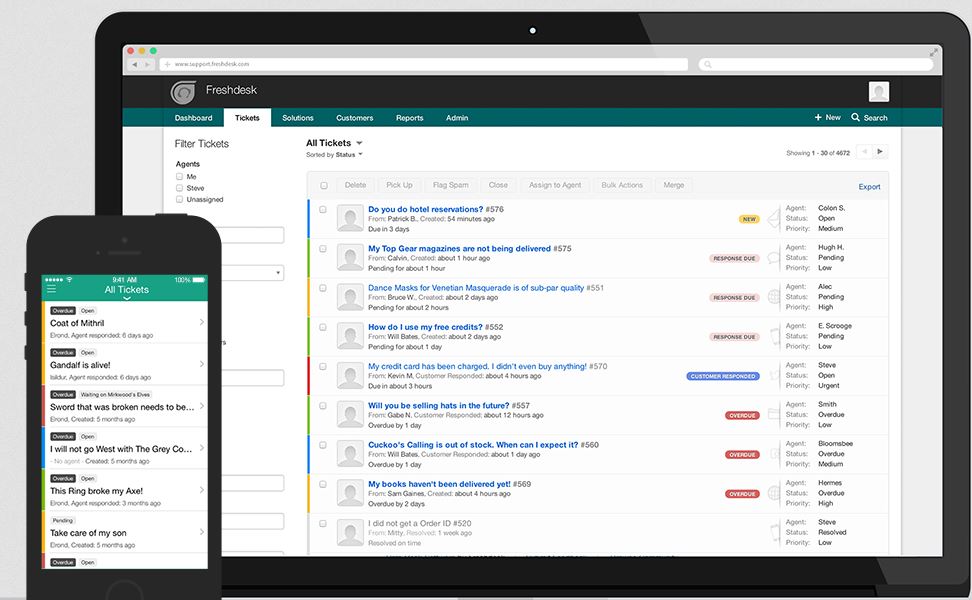
FreshDesk has a free trial option that, although pretty limited in that it allows a mere three agents with restricted functionality, can definitely give you a good taste of what the software has to offer.
Why do we recommend it?
FreshDesk stands out for its flexibility in both its licensing and platform capabilities. Not only does it offer SLA-policy based prioritization and automated knowledge-base development, but its ability to provide short-term licenses during peak periods demonstrates a keen understanding of varying business demands. Additionally, its extensive app integrations and mobile-ready platform ensure that support teams remain connected and efficient, regardless of their location.
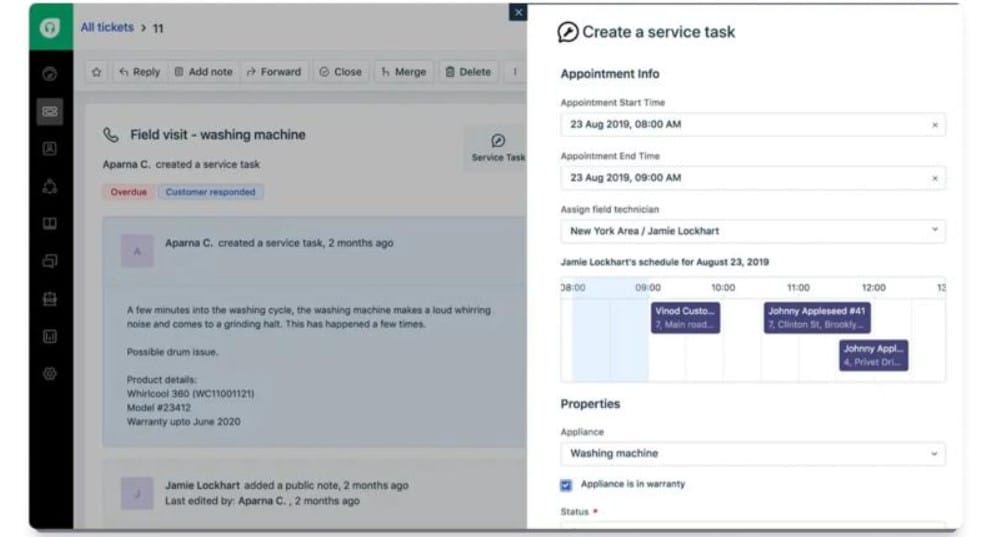
It supports SLA-policy based prioritization, automated handling of knowledge-base building, wide multi-language support, and even has a snappy mobile-ready site for ease of access for agents!
Their licensing is relatively forgiving and has the option to add short-term or even daily licenses for especially hectic times that definitely won’t last just to help get through the pinch.
Who is it recommended for?
FreshDesk is ideal for businesses that foresee fluctuating support demands and require a versatile solution. It’s particularly suited for companies seeking a robust knowledge-base system, extensive app integrations, and a mobile-ready platform that ensures agents can provide support from anywhere.
Pros:
- Easy engagement with customers via phone or web from any locations
- Puts support operations on autopilot and allows concentrating on insightful conversations
- Help-guides for team and customers
- Quickly connects with customers
- Offers 650+ app integrations
Cons:
- Hard to use mobile app
- Navigating the interface/UX is difficult.
6. JIRA
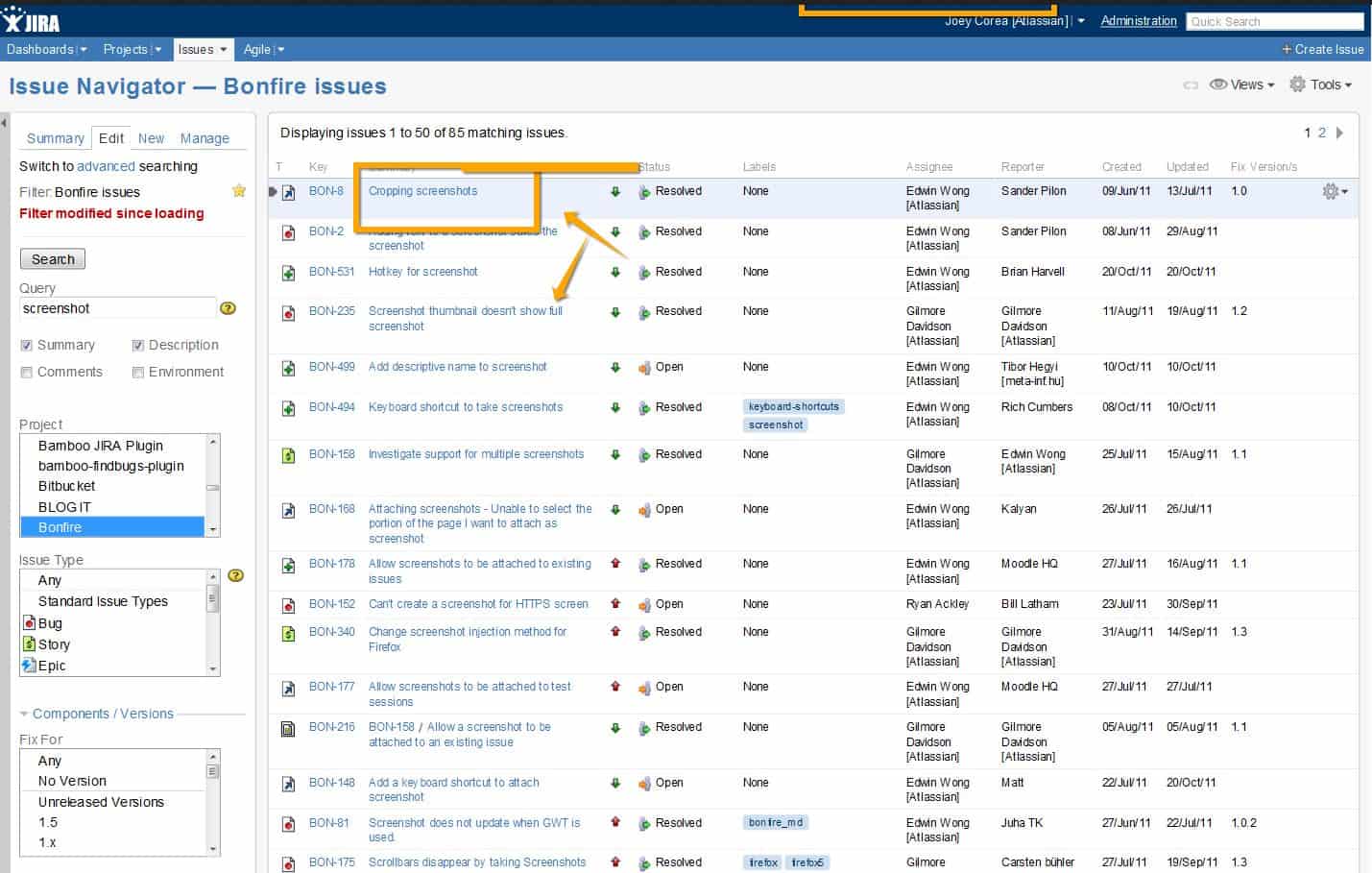
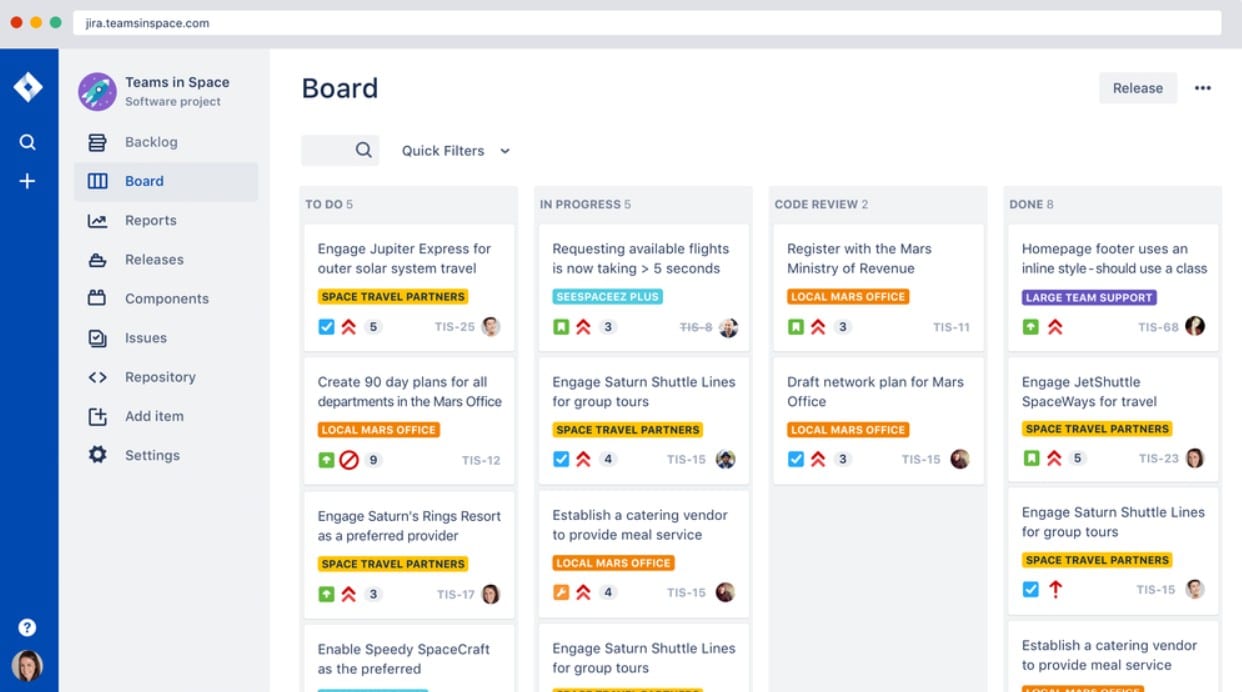
JIRA is a particularly interesting option – on a basic level it’s a platform for handling bug tracking, ticket tracking, and general issue management. However, JIRA’s true power comes in the positively staggering amount of modularity and customization it is capable of.
Why do we recommend it?
JIRA stands out for its unparalleled modularity and customization capabilities. Beyond its primary function of bug tracking and issue management, it offers extensive flexibility allowing teams to mold it to their specific needs. The availability of ready-made templates, customizable workflows, and insightful reports further enhances its appeal.
With the right support and a bit of effort, you can carve JIRA into unquestionably the most perfect option for your environment – the downside is that this requires a good amount of JIRA know-how or, of course, access to someone who does and the funds to pay them for it!
Nonetheless, there are free offerings for the more basic installment of JIRA, and it’s fairly easy to change it up down the line and adjust things later on without giving up any potential for expandable modularity.
Who is it recommended for?
JIRA is recommended for organizations and teams that require a highly customizable ticketing and issue management solution. It’s especially suited for businesses that have (or plan to have) in-house technical expertise to tailor JIRA to their unique workflow requirements. It also serves well for project management teams, developers, and companies aiming for expandable modularity.
Pros:
- Ability to track bugs and other issues
- Provides ready-made templates for easy management
- Uses roadmaps to keep teams in sync
- Generates out-of-the-box and insightful reports
- Create workflows that can be customized to fit any type of task/work.
Cons:
- Hard to set up
- Managing tasks is difficult due to its complex user interface
7. SolarWinds Web Help Desk
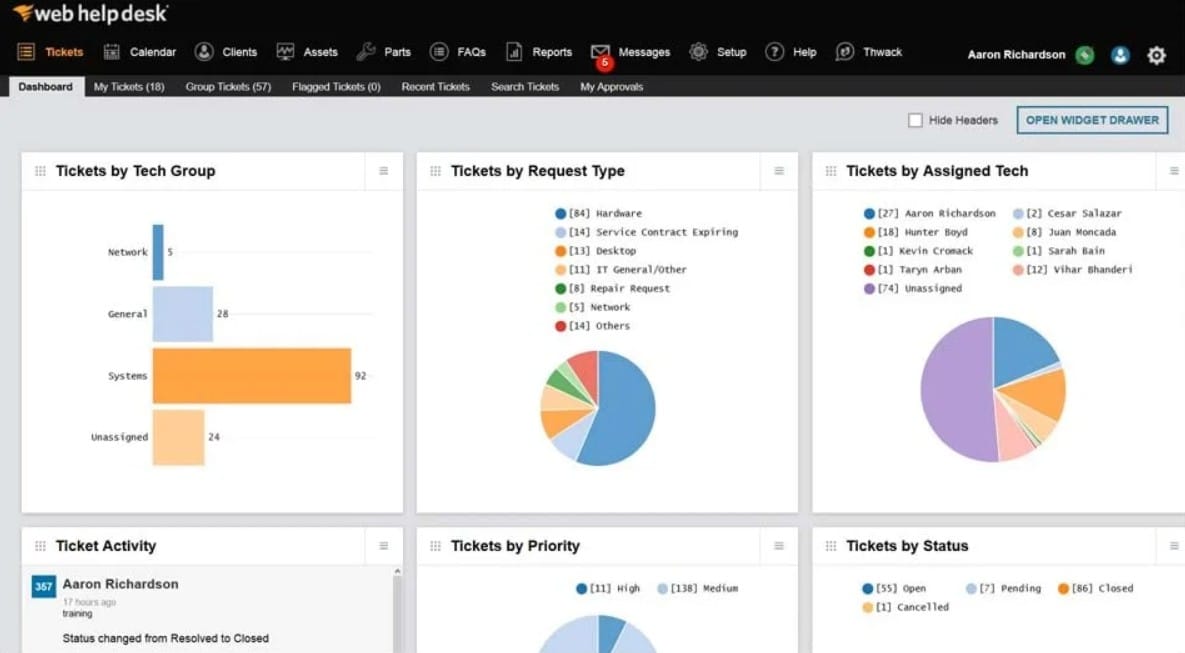
SolarWinds has a wide range of offerings when it comes to IT environments for all manners of network management, so it’s little surprise that they also offer some powerful internal tools, like their web help desk!
The SolarWinds Web Help Desk is an excellently scalable piece of software that jives perfectly in all sizes of environments, especially those that are growing.
It offers compatibility in Windows, Linux, Mac OSX, VMWare, and Hyper-V, meaning that almost any environment can easily make use of it. They also offer Cloud-based versions for those wanting to move off site, too!
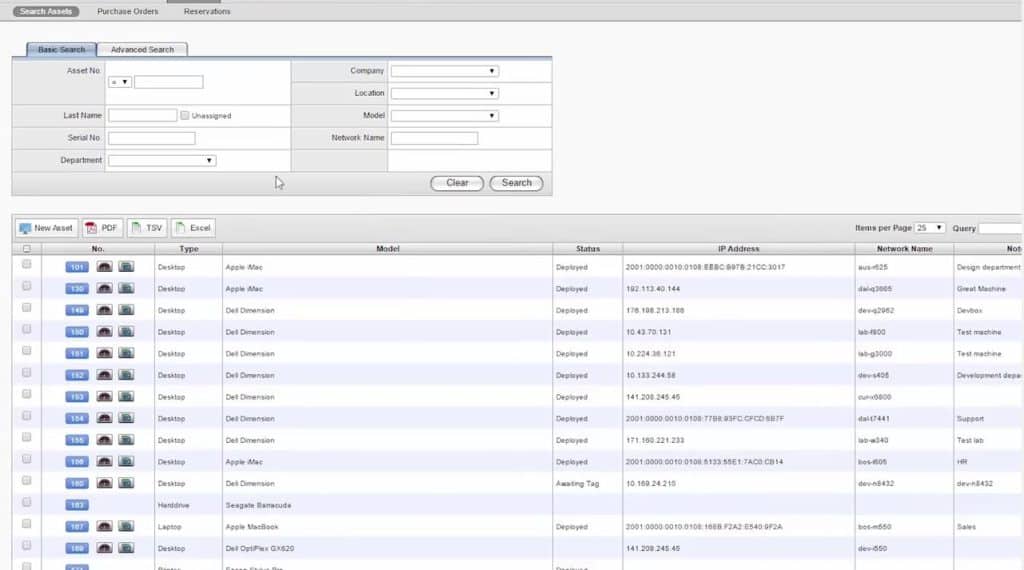
Of particular note this program includes automated tracking of hardware and software, making it easier to keep tabs on licenses and devices without having to remember to do it manually.
One of the Best features of SolarWinds’ offering is the easy-to-use Remote desktop feature that is integrated into the asset management section, which allows you to remotely connect to any PC or Computer in your network and troubleshoot on the fly.
If you are in tech support or have worked with end-users, we both know this is the most indispensable feature you can have in your office environment, especially when you are working with telecommuting employees.
Why do we recommend it?
SolarWinds Web Help Desk stands out for its versatile compatibility, efficient hardware and software tracking, and the invaluable integrated Remote desktop feature. The capability to troubleshoot any computer in the network remotely streamlines tech support, making it especially essential for telecommuting contexts.
Who is it recommended for?
We recommend SolarWinds Web Help Desk for IT professionals and tech support teams in growing environments. Given its comprehensive feature set, it’s particularly suitable for organizations that need streamlined asset management and remote troubleshooting, especially those with telecommuting employees or diversified operating systems.
Pros:
- Knowledge base template offers guidance to technicians
- Supports integration with LDAP as well as Active Directory
- Reports monitor performance in terms of SLAs
Cons:
- SolarWinds Web Help Desk is not available as a cloud service
You can start with a 30-day free trial.
8. osTicket Open-Source Ticketing
osTicket, and that’s a hard ‘S’ due to this software’s down-under origins and stereotypical wallaby logo, is an open-source option that has a lot of punch. You can’t beat the value of open-source software, especially when it’s robust and well developed, as is the case with osTicket.
Why do we recommend it?
osTicket is a robust open-source ticketing solution that offers exceptional value, especially for organizations looking for cost-effective options. Its extensive customization options, including the ability to attach logos, images, and videos to tickets, make it a versatile choice. Furthermore, osTicket’s support for unlimited SLA-policy agreements and detailed ticket note tracking provide a high level of granularity.
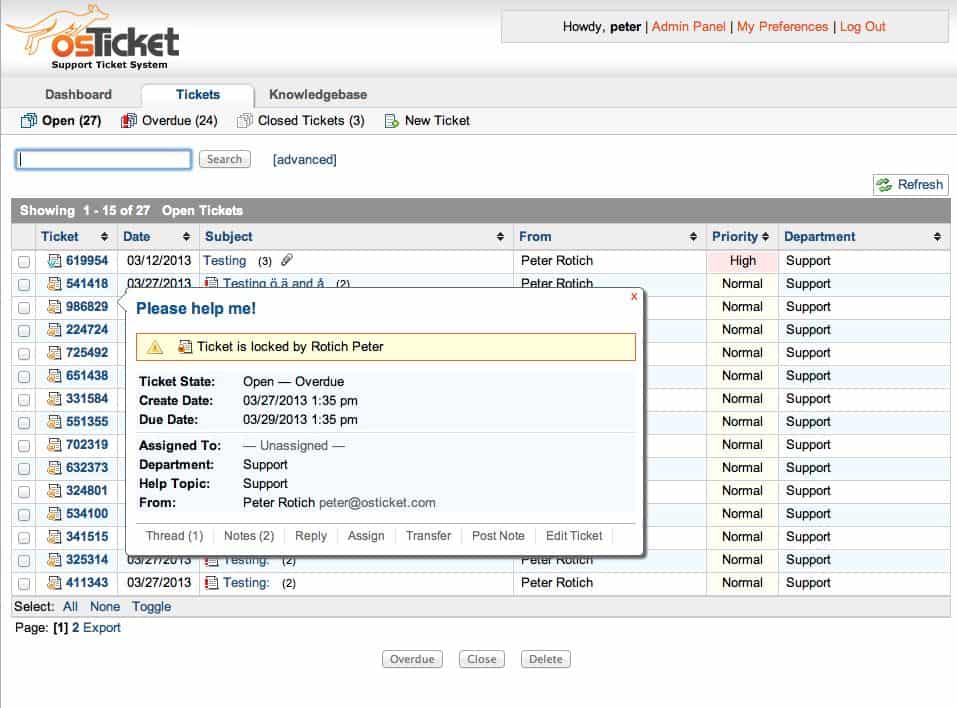
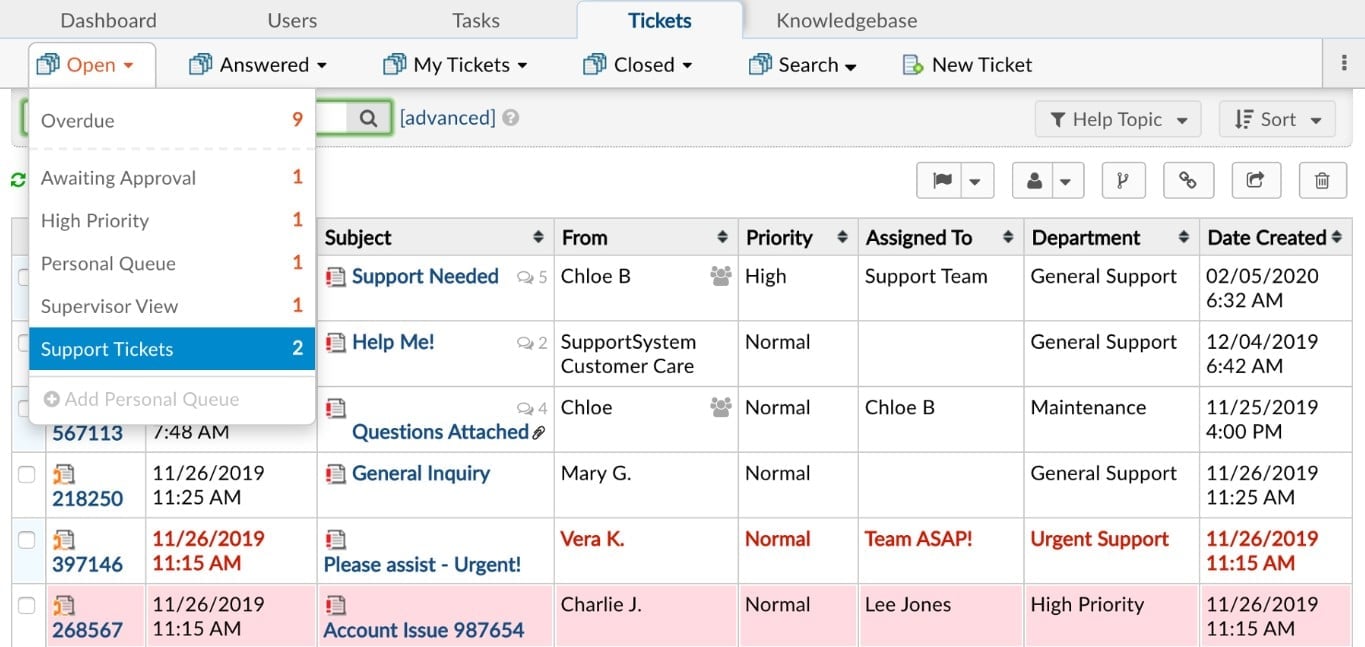
The software allows for a wide range of customization on the graphical end, such as logos, images, and even videos being attachable to tickets while also boasting unlimited SLA-policy agreements and a startling level of granularity allowed in ticket note tracking.
Due to being open-source you are stuck depending on community support, but it’s worth emphasizing that in this case it’s alive and well, making this a splendid option.
Who is it recommended for?
osTicket is recommended for businesses seeking an open-source ticketing system with strong community support. It’s particularly suitable for organizations looking for a comprehensive dashboard to track help desk statistics, customize help desk topics, and maintain a client support portal system. The use of filters for automated ticket creation and routing, as well as configurable automatic replies, make it a valuable choice for managing customer support efficiently.
Pros:
- The comprehensive dashboard keeps you updated on help desk statistics
- Access to edit or remove help desk topics as per your choice
- The client support portal system assists your company in keeping happy customers
- Uses filters to automate the creation and routing of tickets
- Sends configurable automatic replies on opening a new ticket
Cons:
- Automation requires improvement
- Custom workflows for handling tickets are not supported
9. OTRS Free
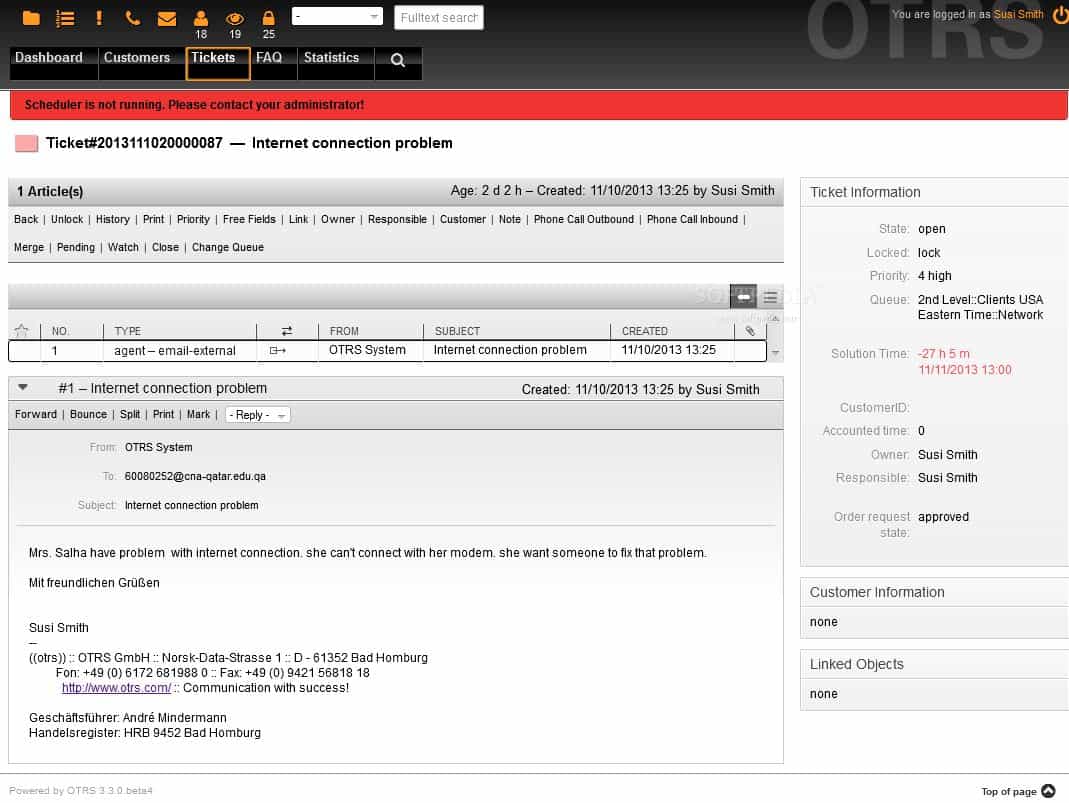
OTRS Free is another open-source option with a splendidly large and active community, which is a near must-have for open-source software that you’ll be using heavily and may need some support or help on from others.
Why do we recommend it?
OTRS Free is an open-source ticketing solution with a vibrant and active community, making it an excellent choice for organizations seeking community support. It offers built-in email notifications for various ticket actions and an impressive range of sort and view options for tickets, allowing for efficient ticket management.
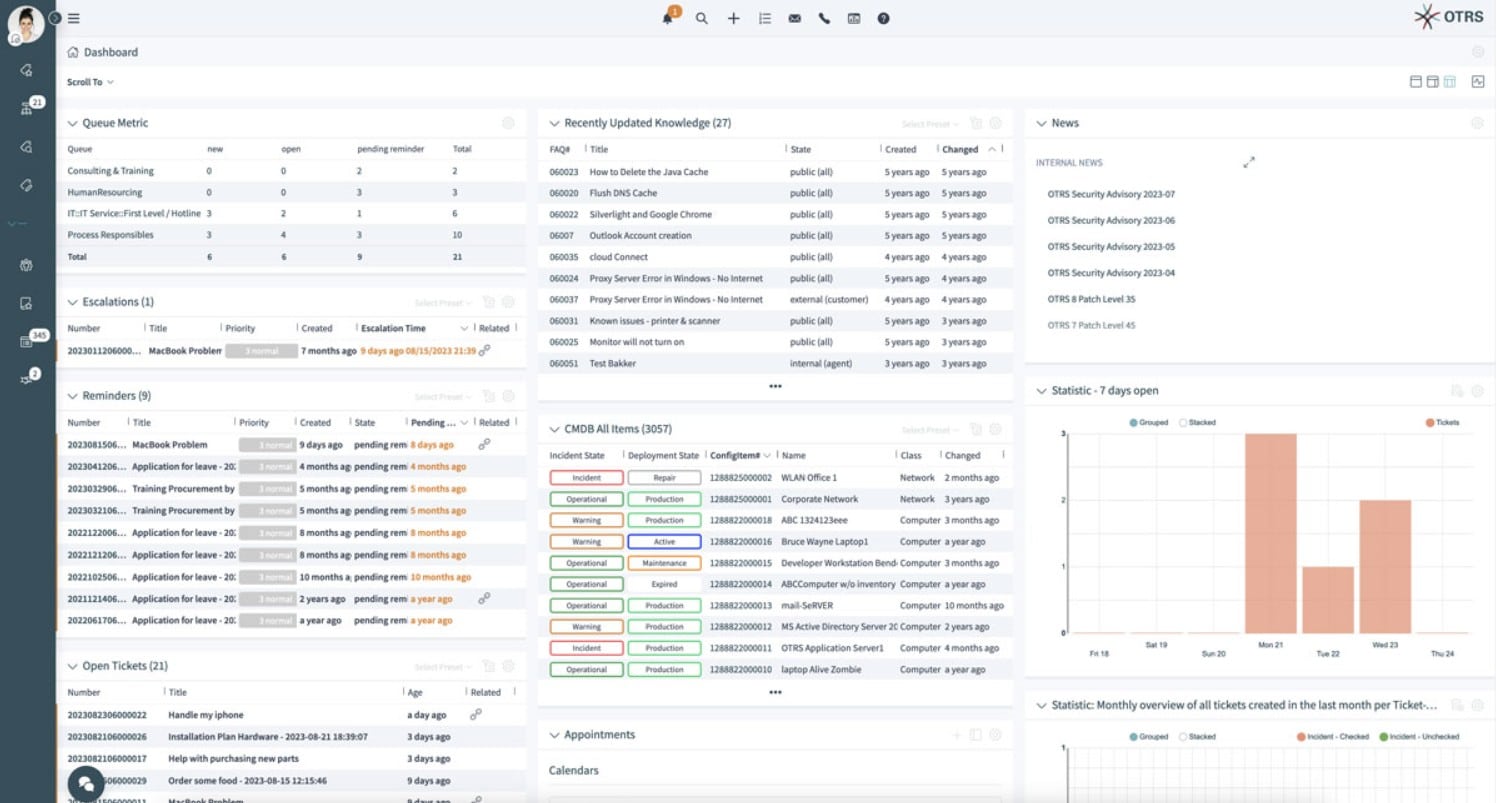
It has built-in email notifications for various ticket actions, and an excellent amount of sort-ability for arranging and viewing tickets by all manner of metrics.
It has a huge range of languages it’s available in, over thirty, and some great visualization options such as ticket locking to avoid overlapping agents and even visual cues for agents who are away from the office to help better manage assignments.
Who is it recommended for?
OTRS Free is recommended for organizations looking for a feature-rich open-source ticketing system with a strong community presence. It is suitable for businesses that require multi-language support, advanced visualization options, and robust ticket management features. OTRS Free also emphasizes data security, utilizing secure data centers and GDPR-compliant processes for IT security.
Pros:
- OTRS has a large and active community
- Sends email notifications for numerous ticket activities
- Offers access to 2500+ configuration options
- Supports multiple languages and visualization options
- Uses secure data centers and GDPR-compliant processes for IT security
Cons:
- Inefficient CGI-based design
- The search function is missing
10. Track-It! Help Desk
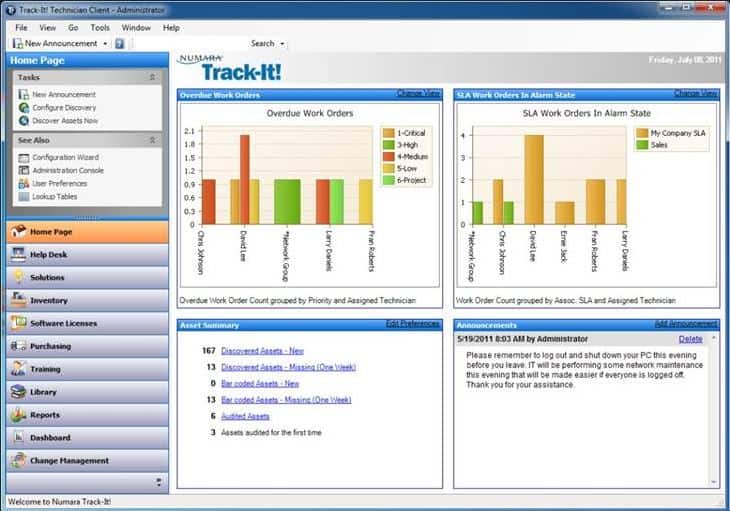
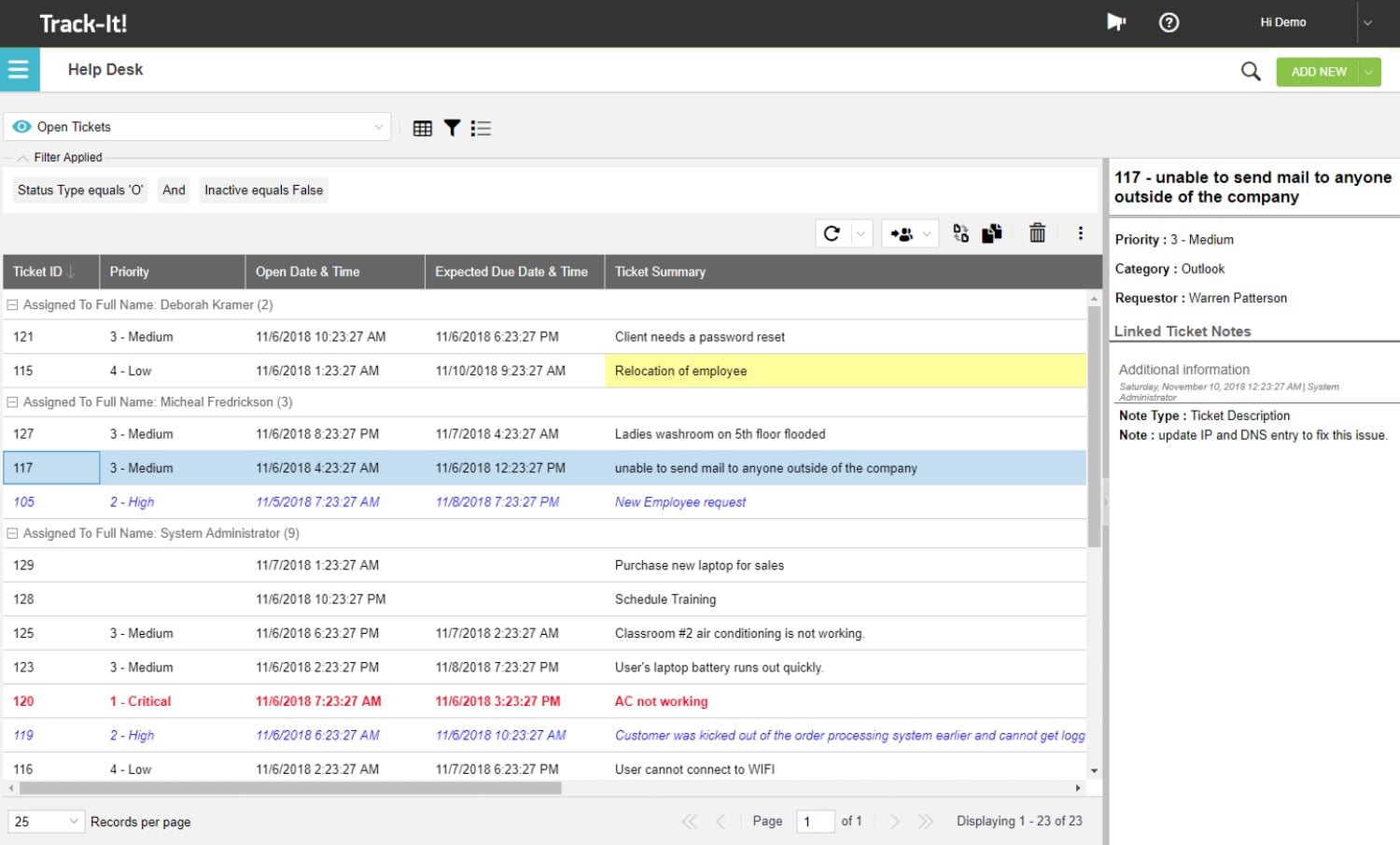
Track-It! offers some unique end-user self-service options, namely in the form of mobile device access and knowledge base features, while also offering the usual gambit of issue creation/tracking, emailing notifications, while including a range of back-end tracking, such as license management, asset management, and so forth, to help make their particular solution especially all-encompassing.
Why do we recommend it?
Track-It! Help Desk stands out for its unique end-user self-service options, including mobile device access and a comprehensive knowledge base. This makes it an excellent choice for organizations aiming to empower their users with self-help resources. Additionally, it provides a wide range of features, from issue creation and tracking to back-end tracking of licenses and IT assets.
Who is it recommended for?
Track-It! Help Desk is recommended for organizations looking for a help desk solution that offers robust end-user self-service capabilities. It is suitable for businesses that want to simplify their help desk ticketing process and streamline IT asset and license management from a single platform.
Pros:
- Offers end-user self-service options
- Supports back-end tracking
- Allows managing tickets and IT assets from a single location
- Automatically scans and secures network devices
- Simplify the help desk ticketing process with automated ticket creation
Cons:
- Difficult to navigate
- Issues with audit functions
11. Spiceworks
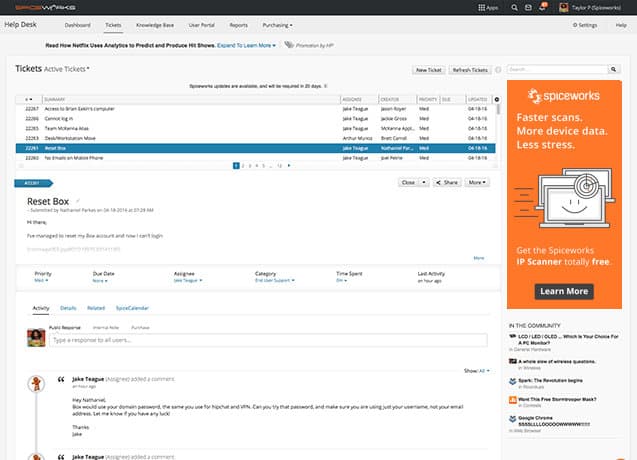
SpiceWorks has a free offering with the nuance that all the server setup, configuration, management, and so forth are all done on your end, and the free version doesn’t even limit your number of agents, either!
Why do we recommend it?
Spiceworks offers a free help desk solution that allows you to manage IT support desk tickets and tasks efficiently. It integrates with Inventory and IP Scanner to help you keep track of devices and activities, making it a valuable choice for IT teams seeking a cost-effective solution.
The downside is that you’re on your own with support and configuration, naturally.
Nonetheless, Spiceworks’ free offering gives you a great deal more to work with than some other trials, though it does lag behind a bit with larger networks and isn’t too happy when running in Linux, Unix, or VMWare based environments.
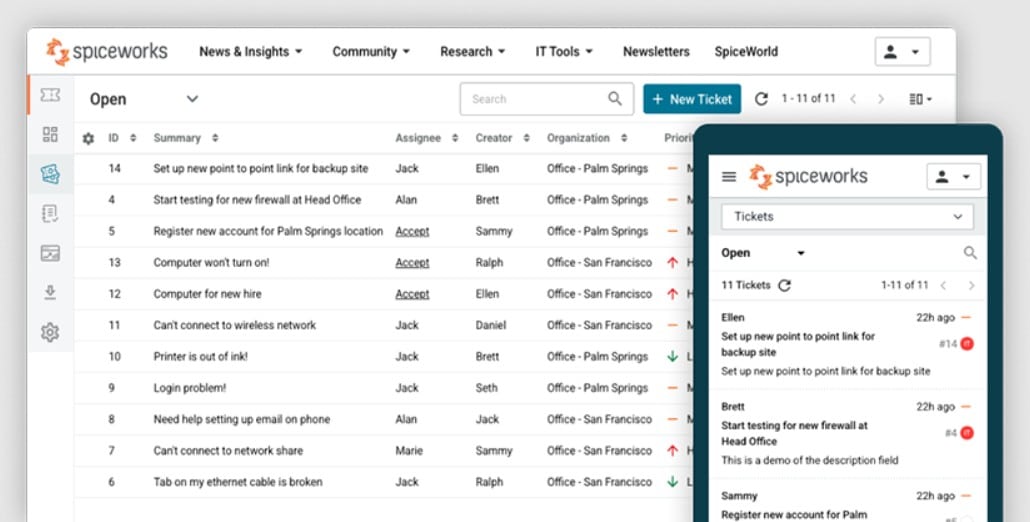
Furthermore, any significant outage or loss of data can be a big risk due to the self-hosted nature. You can also find some replacements to Spiceworks here that will also work as great Help Desk alternatives as well.
Who is it recommended for?
Spiceworks is recommended for small to medium-sized businesses or IT teams looking for a free help desk solution. It’s suitable for organizations that want to manage user requests, track ongoing projects, and maintain a secure remote support system. However, it may not be ideal for larger networks and requires self-hosting, including support and configuration responsibilities.
Pros:
- Manage IT support desk tickets and tasks quickly
- Track ongoing projects and manage user requests
- Integration with the Inventory and IP Scanner helps keep track of devices and activities
- Runs secure remote support session
- Sends latest ticket updates and push notifications
Cons:
- Works slowly with larger networks
- Support and configuration are your responsibility alone
Conclusion
It’s extremely important to have some kind of tracking capability for your IT Department – even better that it includes any of the added features to make sure that licenses are up to date and well utilized, that equipment is accounted for, and software doesn’t go missing.
All of these things are essential features for any organization of almost any size – we all know how easy it is for things to slip through the cracks even with just a couple of things on our plate, after all.
The importance and necessity of a good solution for organizing, assigned, and resolving tickets is unquestionable. Finding the Best Help Desk Software for your business and tech team is crucial to resolving issues, downtime and tech support problems fast!
